CHAIR HOW-TO: Customize Senior Meta-Reviewer Console
The Chair can set a default view for the Senior Meta-Reviewer Console thereby hiding unwanted columns.
OVERVIEW
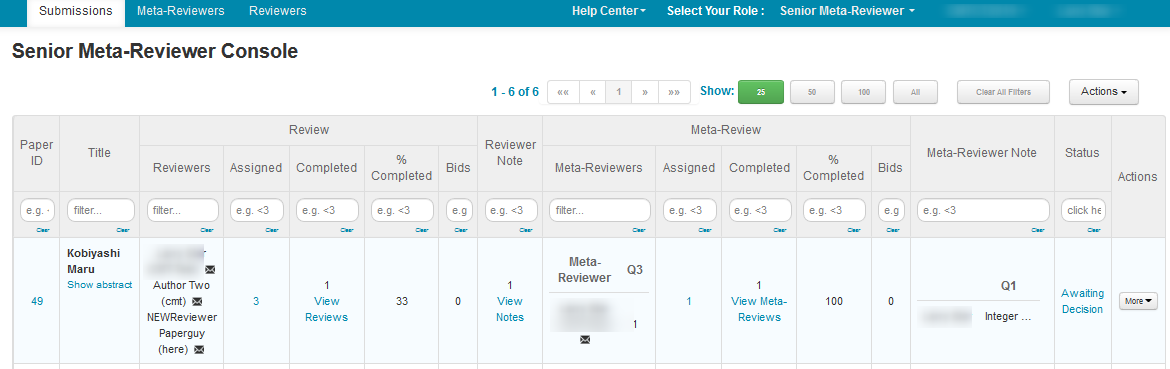
In the example below, the Chair wants the Senior Meta-Reviewer to see only the Paper Id and Title, Review, Reviewer Note, Meta-Review, Meta-Reviewer Note, and Status.
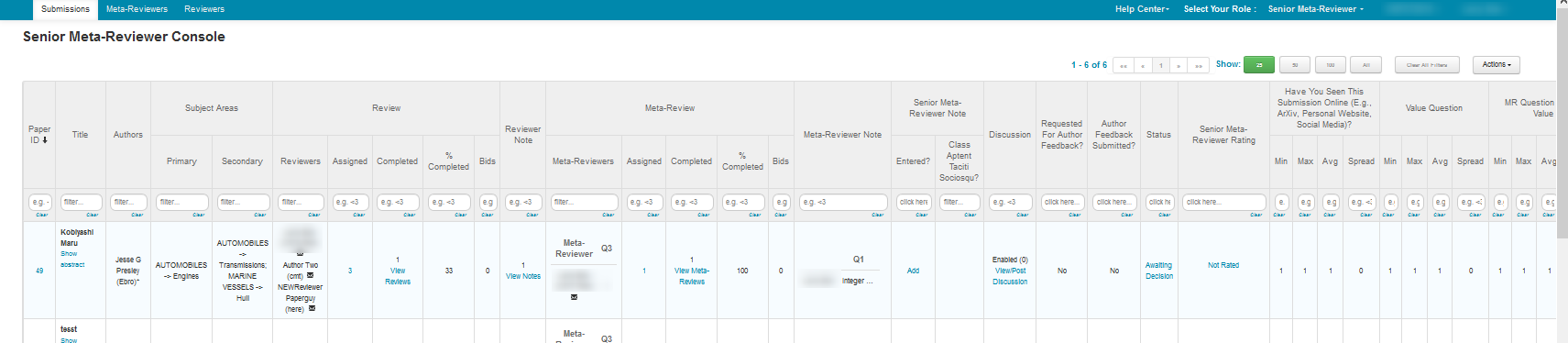
SENIOR META-REVIEWER CONSOLE BEFORE CUSTOMIZATION
This is how the Senior Meta-Reviewer Console looks before the Chair customizes the columns.
SELECT COLUMNS TO HIDE
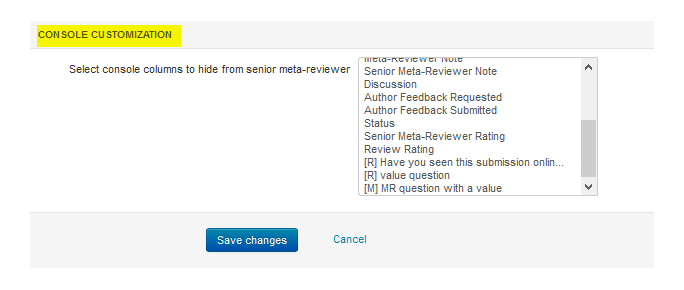
Senior Meta-Reviewer Console Customization Section
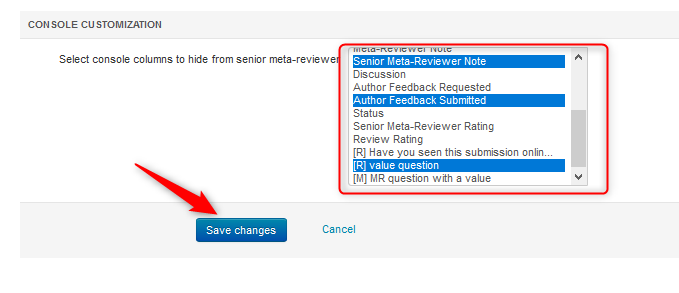
- From the Settings tab in the ‘Chair Console’, click ‘Features>Senior Meta-Review’ then scroll to the ‘Console Customization’ section at the bottom of the page.
Note
In this particular example there are value-weighted questions that will appear on the Senior Meta-Reviewer Console. The questions that have an [R] designation before them are for Reviewers; the questions with an [M] are for the Meta-Reviewer.
- Click on the items that are to be hidden in the Senior Meta-Reviewer Console. To add more than one, hold the [CONTROL] button while clicking another item. Everything that is not selected (in blue) will be shown on the Senior Meta-Reviewer Console. Save the Changes.
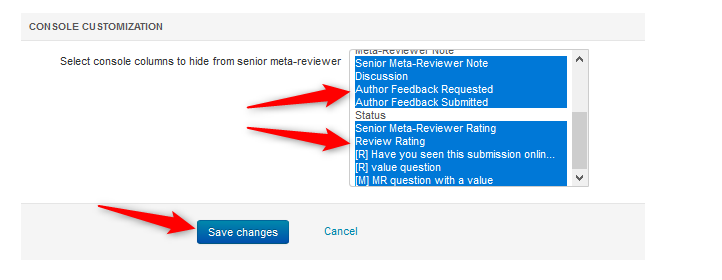
SENIOR META-REVIEWER CONSOLE AFTER CUSTOMIZATION
This is how the Senior Meta-Reviewer Console would look after the Chair customizes the columns as in the example above.
SELECT COLUMNS TO UNHIDE
Senior Meta-Reviewer Console Customization Section
- From the Settings tab in the ‘Chair Console’, click ‘Features>Review’ then scroll to the ‘Console Customization’ section at the bottom of the page.
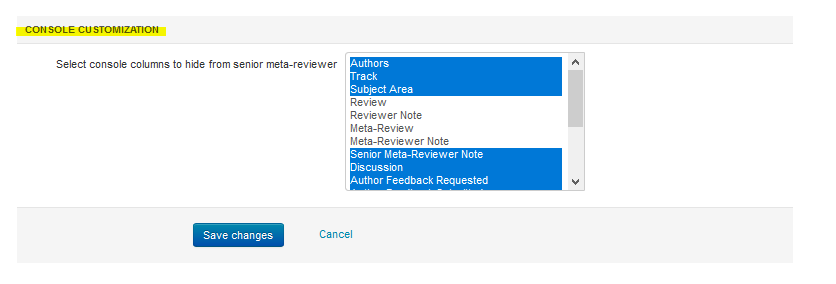
- Click on the items (in blue) that are to be unhidden in the Senior Meta-Reviewer Console. To remove more than one, hold the [CONTROL] button while clicking another item. Everything that is not selected (in blue) will be shown on the Senior Meta-Reviewer Console. Save the Changes.
Note
To remove the last hidden column, simply hold the [CONTROL] button while clicking.