CHAIR HOW-TO: Export Users
OVERVIEW
This will show how to export users to a text file, and subsequently to be read in Excel.
MANAGE CONFERENCE USERS PAGE
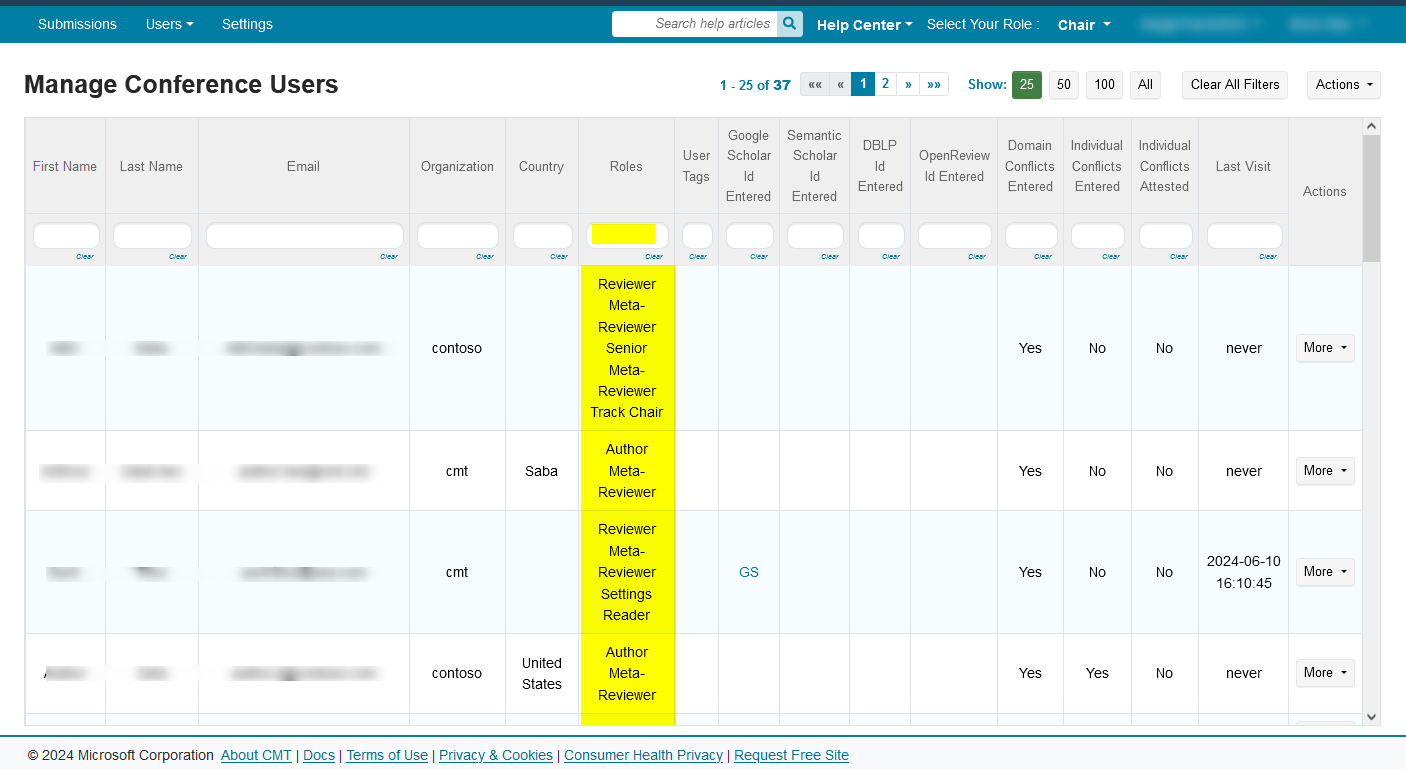
- Navigate to the Manage Conference Users page. You have the option to filter by columns; usually by role. If no filter is created then all users will be exported.
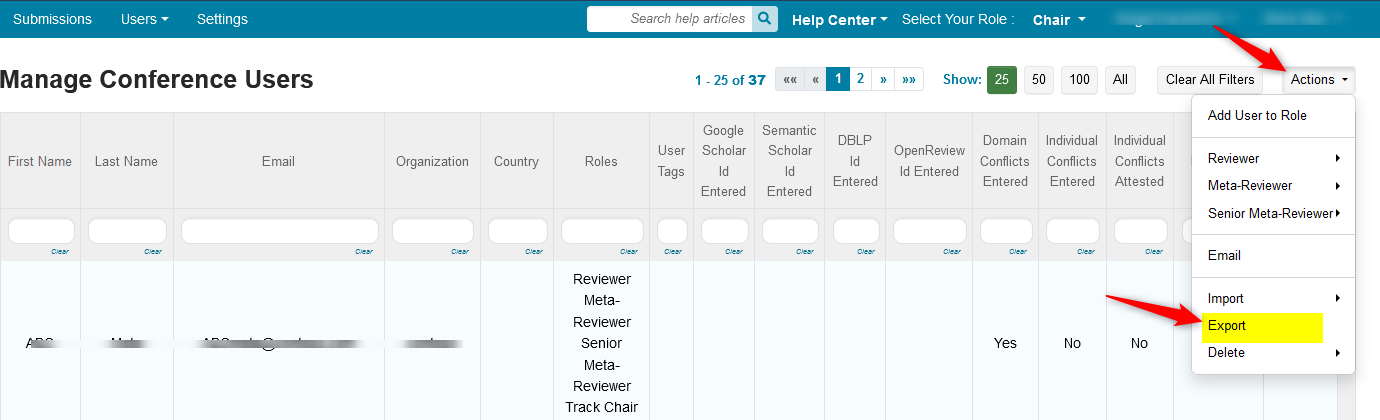
- Click 'Actions>Export.' A text file will be downloaded.
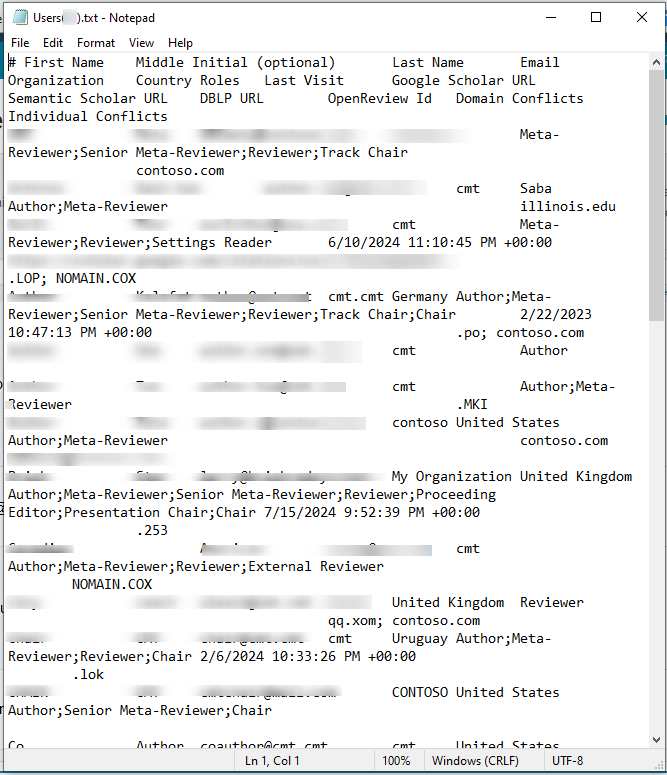
- Navigate to the file and open it.
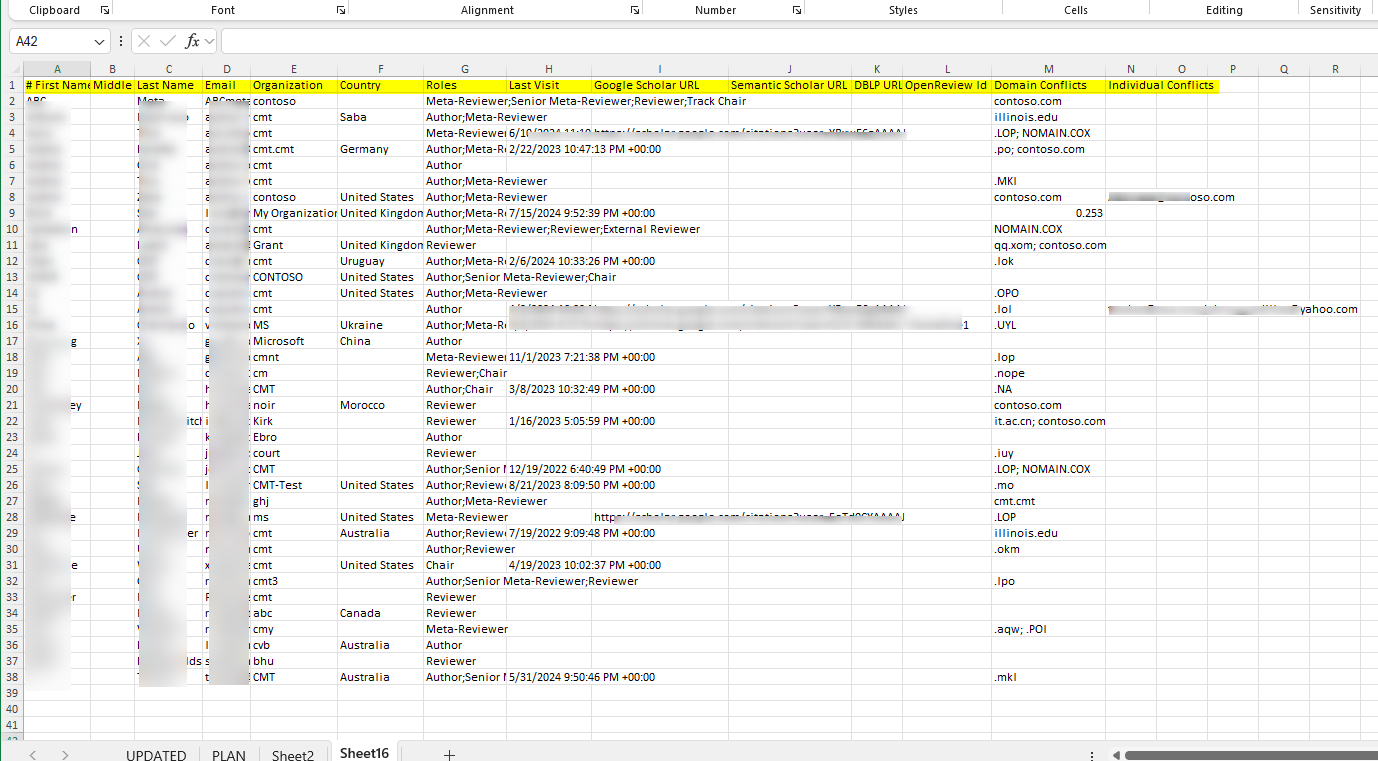
- Select all, copy and paste the selection in an Excel sheet.
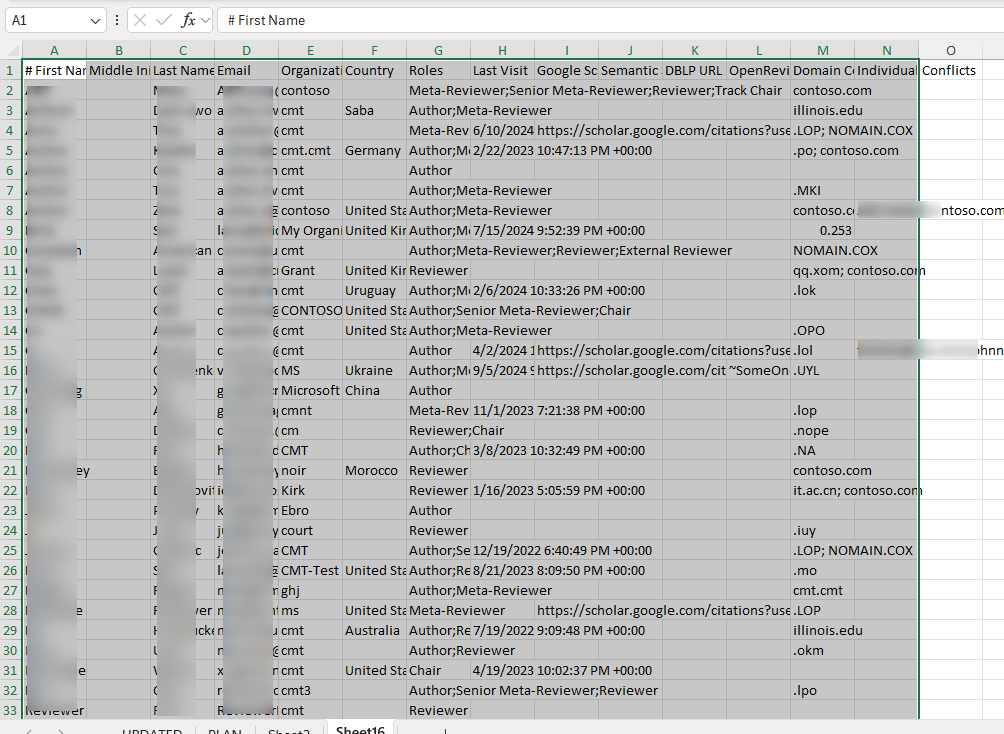
- Adjust the column width to see the labels:
o First Name
o Middle Initial (optional)
o Last Name
o Email
o Organization
o Country
o Roles
o Last Visit
o Google Scholar URL
o Semantic Scholar URL
o DBLP URL
o OpenReview Id
o Domain Conflicts
o Individual Conflicts