CHAIR HOW-TO: Make Meta-Reviews Visible to Authors
OVERVIEW
There are three settings so Meta-Reviews can be visible to Authors:
Deadline
Meta-Review Questions
Paper Status
Author Console Before

Deadline
Note
In a Multi-Track conference, a track must be selected before any settings can be made. Each track will also need to be set seperately.
- Go to the Settings tab. Click 'Activity Timeline>Deadline.' Set 'Author Notification' to 'Completed' status with a date in the past. Save the changes.

Meta-Review Questions
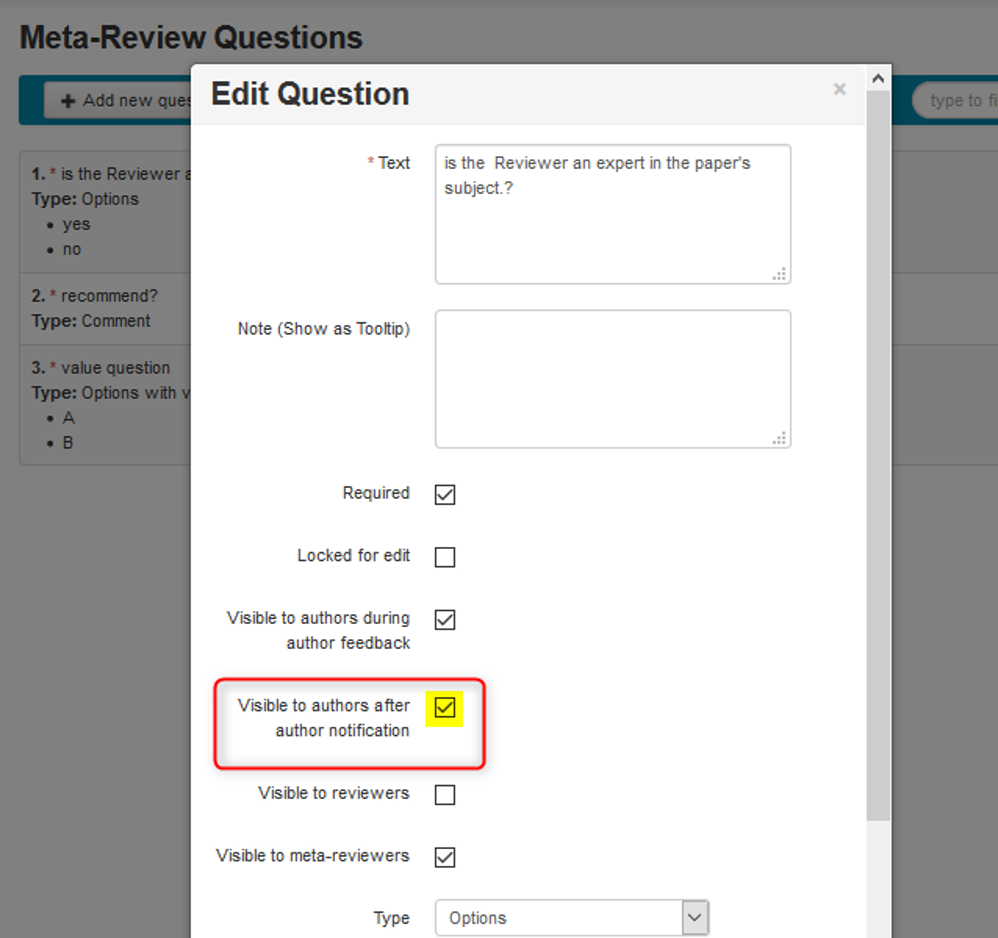
- From the same Settings tab, click 'Forms>Meta-Review.' The Meta-Review questions need to be checked as 'Visible to authors after author notification.' Save the changes.
Paper Status
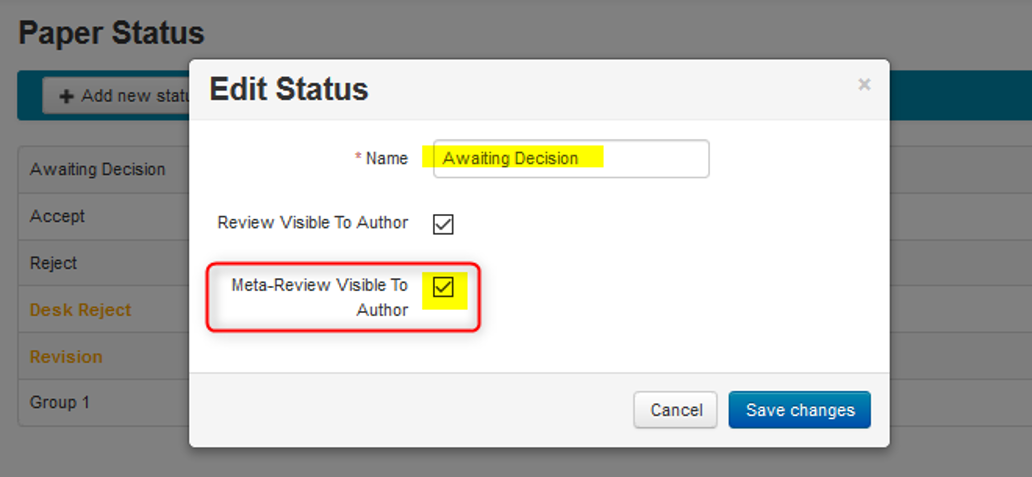
- From the same Settings tab, click, 'Features>Paper Status.' Check 'Meta-Review visible to Author.' Save the changes.
Author Console After
