CHAIR HOW-TO: Remove Senior Meta-Reviewers
OVERVIEW
There are a couple of ways to remove a Senior Meta-Reviewer from the role/conference.
Note
Senior Meta-Reviewers cannot be bulk deleted. They must be removed individually.
MANAGE CONFERENCE USERS
- From the Manage Conference Users page, the Senior Meta-Reviewer role can be removed from a user.
MANAGE SENIOR META-REVIEWERS PAGE
Note
If it is a Multi-Track Conference, the track must be selected before you can remove the Senior Meta-Reviewer.
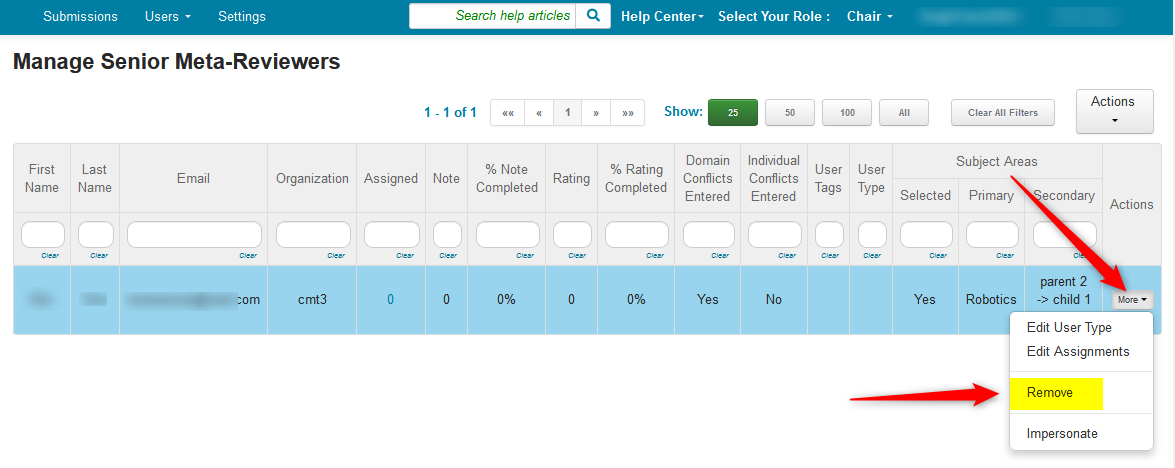
- From the Manage Senior Meta-Reviewers page, find the Senior Meta-Reviewer to be removed.
- At the end of the row, click 'More>Remove'
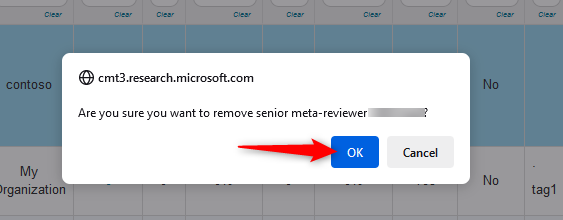
- Click OK in the ensuing confirmation pop-up.
- Verify Senior Meta-Reviewer has been removed.