CHAIR HOW-TO: Manage Senior Meta-Reviewer Note
OVERVIEW
The Chairs may use the 'Senoir Meta-Reviewer Note' to see if the Senior Meta-Reviewers performed certain tasks and/or to gather specific information not otherwise obtained from other avenues.
In this case we will use the 'Senior Meta-Reviewer Note' to assess Meta-Reviews and Reviews to inform the Chairs at a quick glance.
SENIOR META-REVIEWER NOTE PAGE
Settings Tab
- Go to the Settings tab, click 'Notes' > 'Senior Meta-Reviewer'
Note
In a multi-track conference, a track must be selected before the features are enabled.
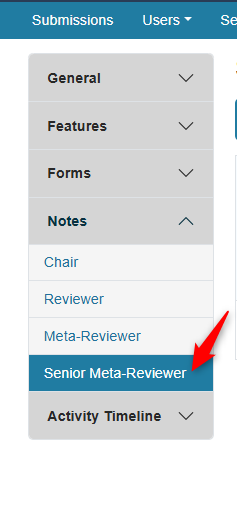
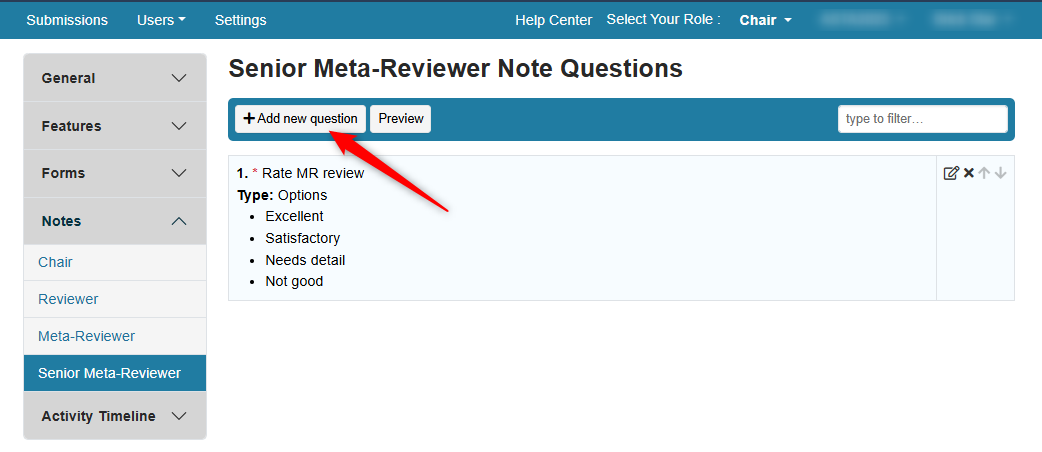
Add New Question
- In the 'Senior Meta-Reviewer Note Questions' page, click 'Add new question.'
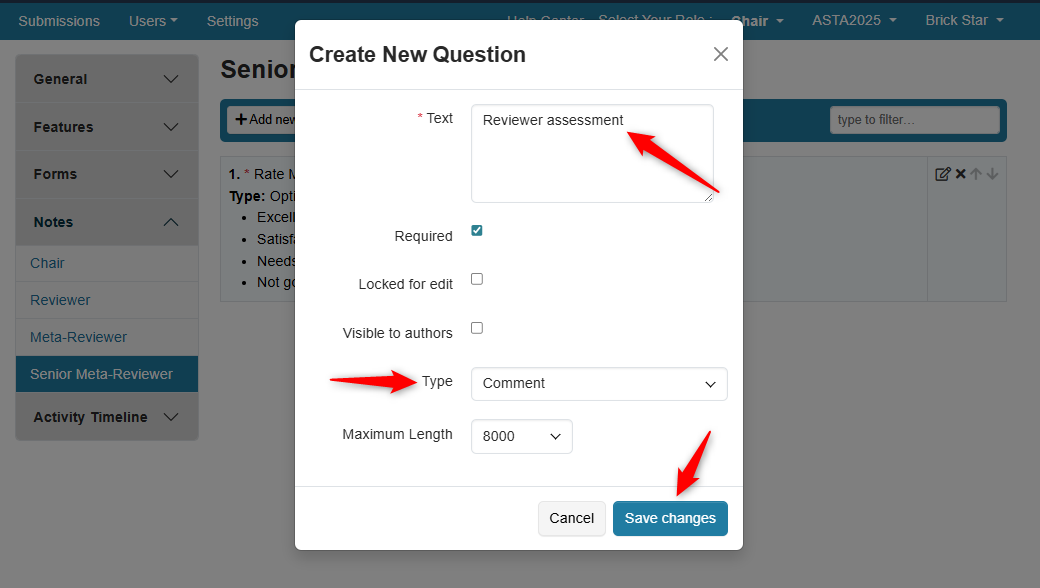
Create New Question Dialog Box
- In the 'Create New Question' dialog box, enter the question/statement, select the checkboxes desired, configure the type, then save the changes
Important
The timeline activities must be set with Author Notification = Completed and the Deadline set to a date in the past, for the Senior Meta-Reviewer note to be visible to Authors.
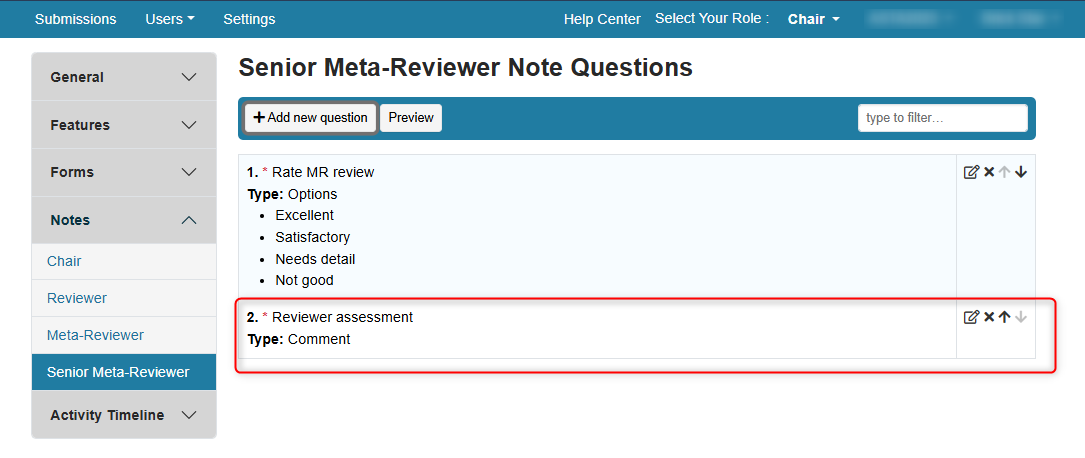
- Verify the question was added
VERIFY CHAIR CONSOLE
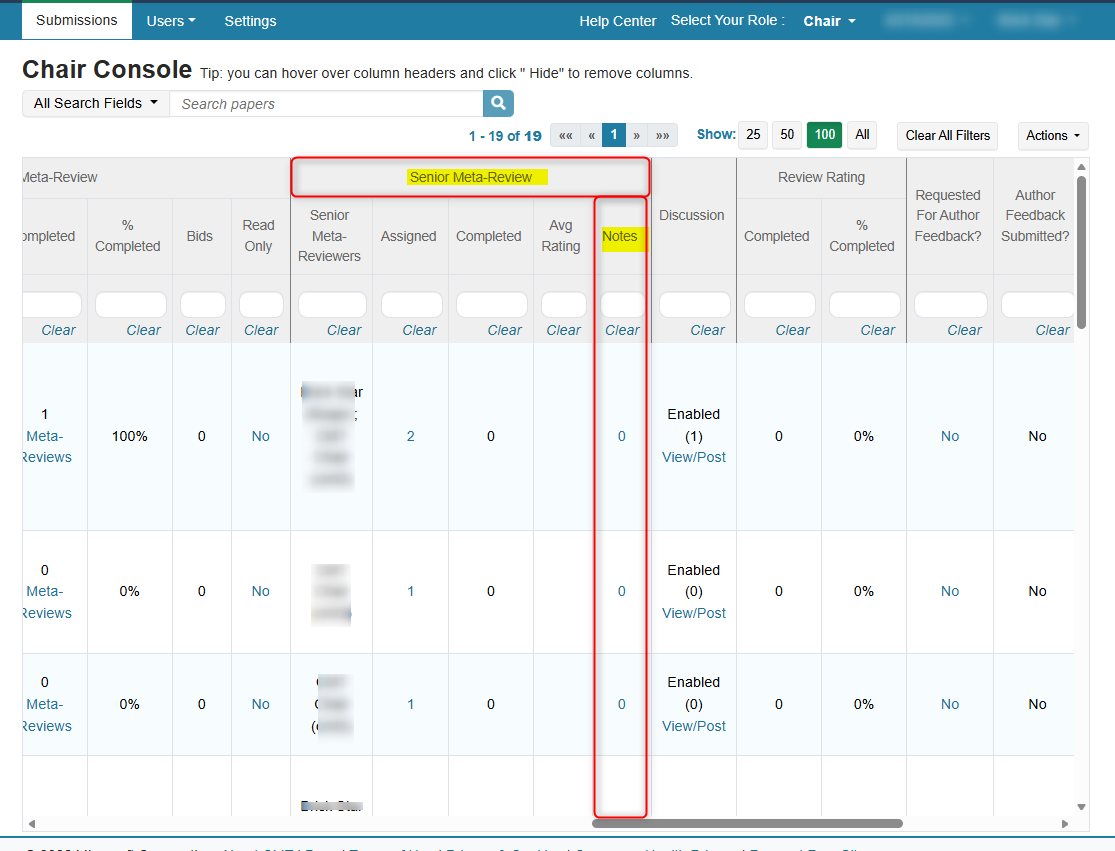
- Verify the Senior Meta-Review Note column was added to the Chair Console.
SENIOR META-REVIEW SETTINGS
Indirect Assignments
Indirect assignments are when the Senior Meta-Reviewer is assigned a Meta-Reviewer, which in turn is assigned papers.
The settings for indirect assignments are:
- Assign paper to senior meta-reviewer through meta-reviewer
- Do not use senior meta-reviewer conflict with submission
- Allow meta-reviewer to inherit senior meta-reviewer's conflict

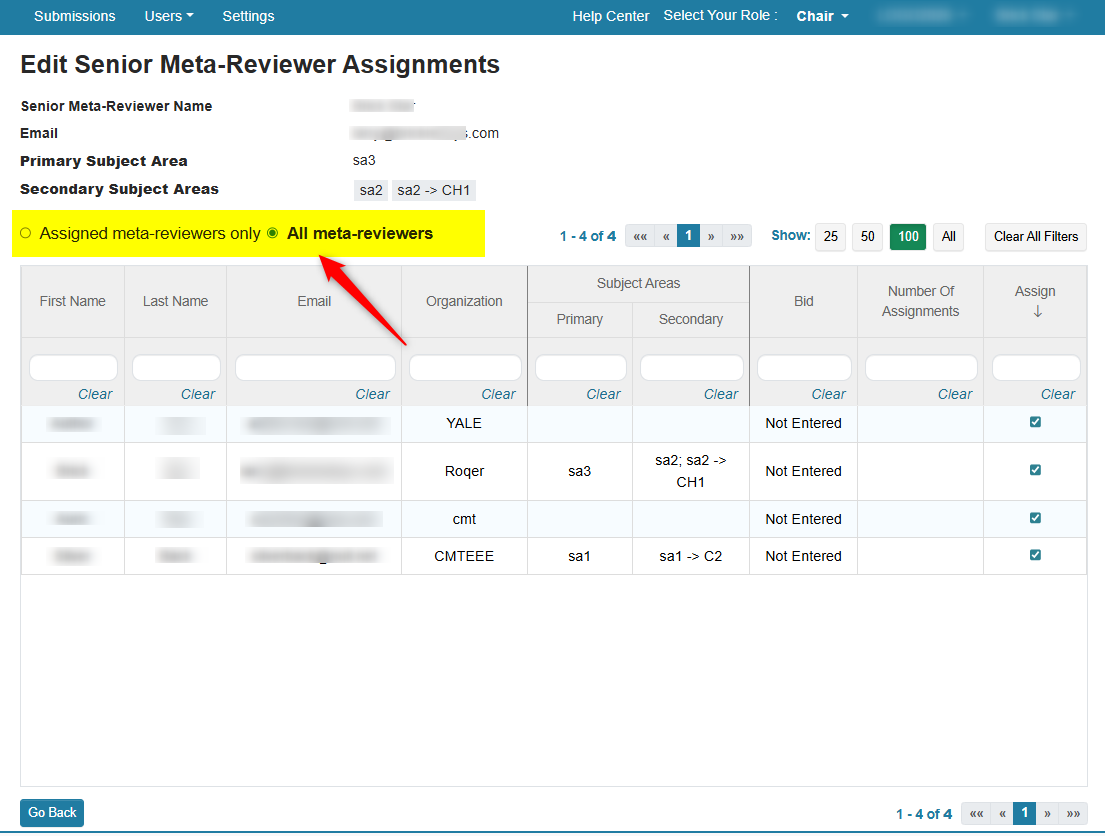
Senior Meta-Reviewer Indirect Assignments
- Go to the Senior Meta-Reviewer Assignments page via the Chair Console to assign the Meta-Reviewers to the Senior Meta-Reviewer
Direct Assignments
Direct assignments are when the Senior Meta-Reviewer is assigned a papers ID directly.
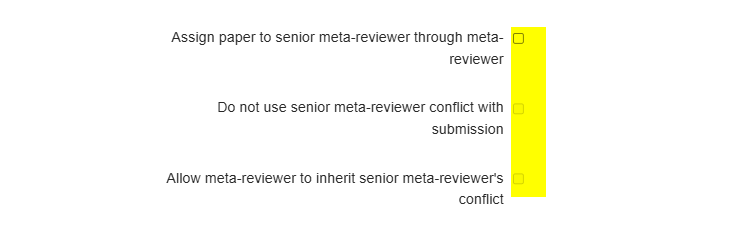
For Senior Meta-Reviewer direct assignments make sure to DISABLE these settings:
- Assign paper to senior meta-reviewer through meta-reviewer
- Do not use senior meta-reviewer conflict with submission
- Allow meta-reviewer to inherit senior meta-reviewer's conflict
Senior Meta-Reviewer Direct Assignments
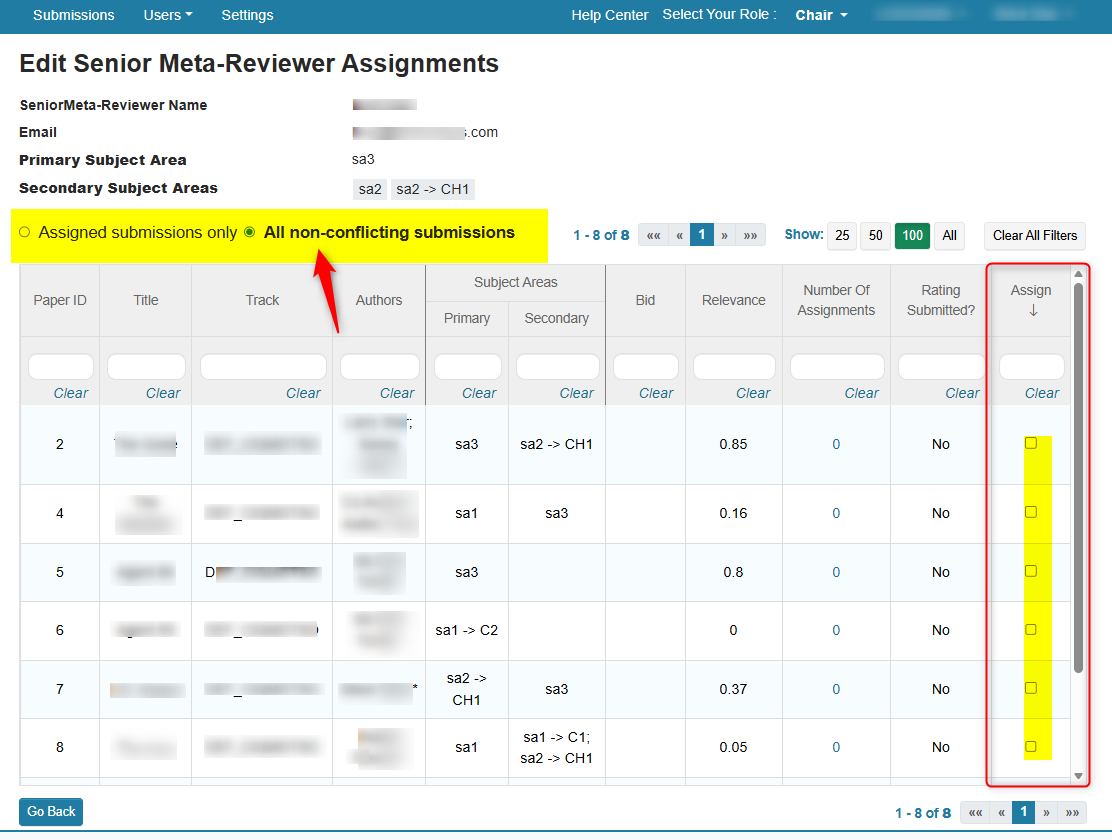
- Go to the Senior Meta-Reviewer Assignments page via the Chair Console to assign the paper IDs to the Senior Meta-Reviewer
SENIOR META-REVIEWER CONSOLE
From the Senior Meta-Reviewer perspective.
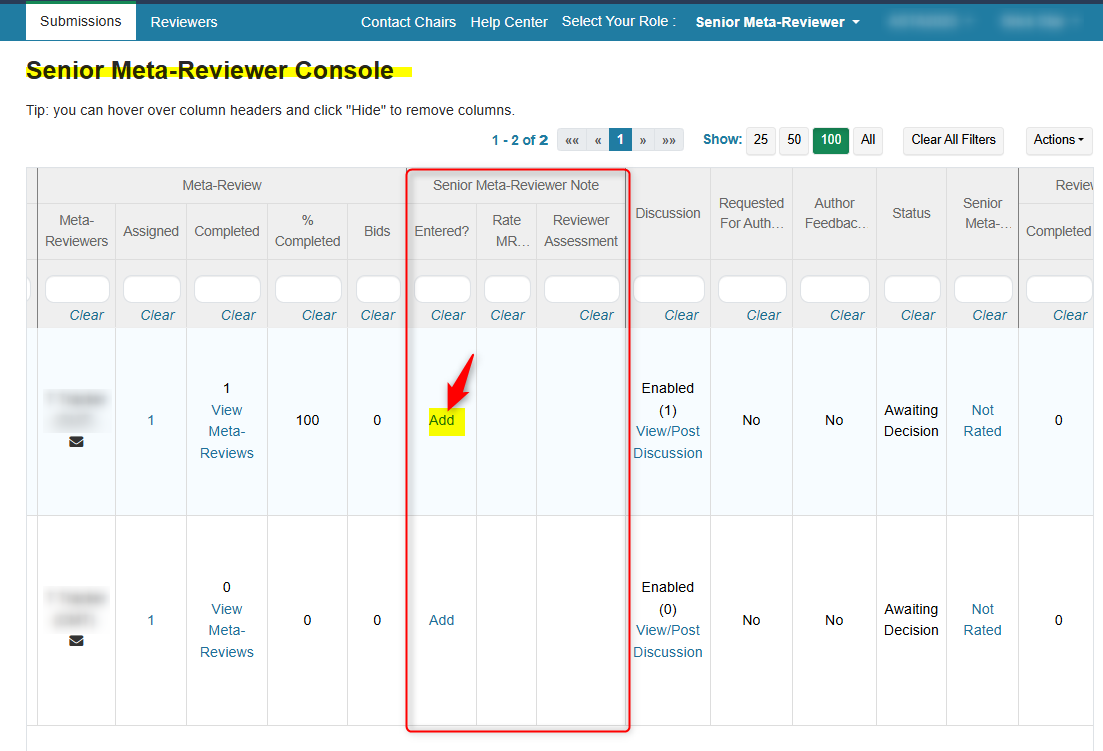
- In the Senior Meta-Reviewer Note column, click 'Add'
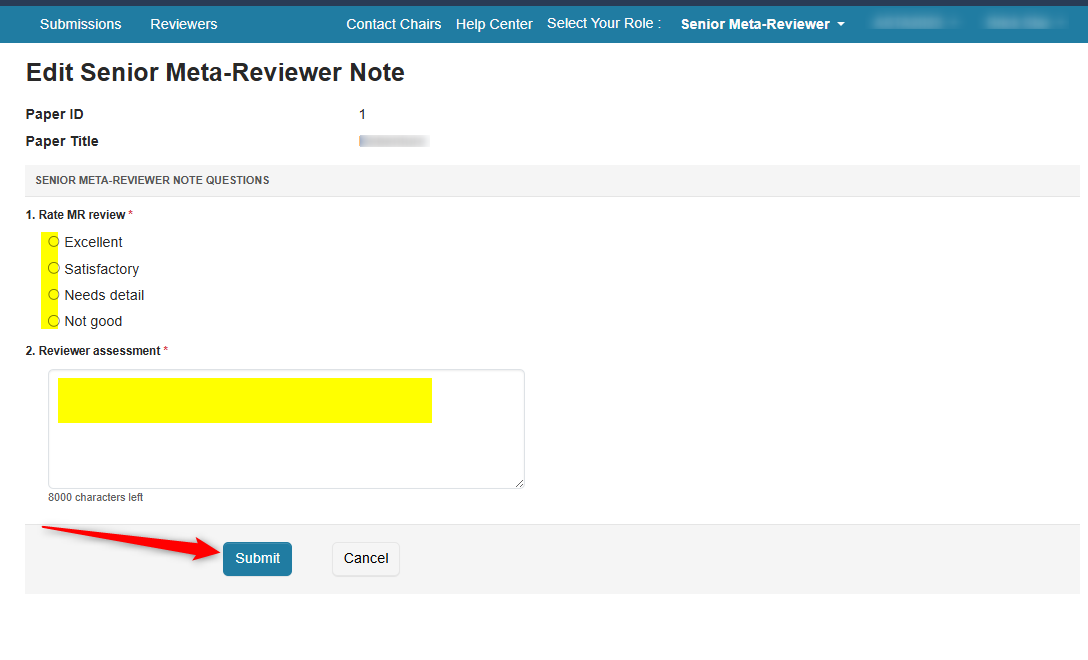
- In the ensuing page, answer the questions and click 'Submit'
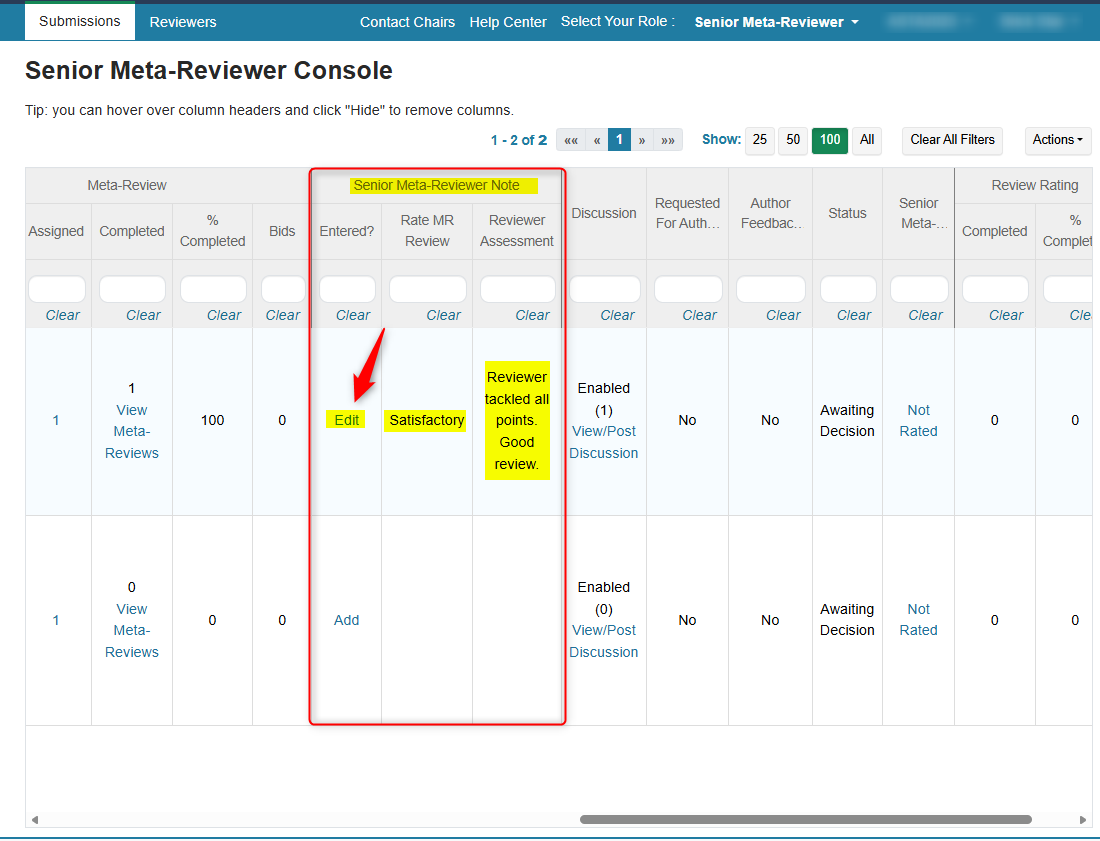
- Verify answers are in the Senior Meta-Reviewer Note column. If there are any modifications to be made, click 'Edit"
CHAIR CONSOLE
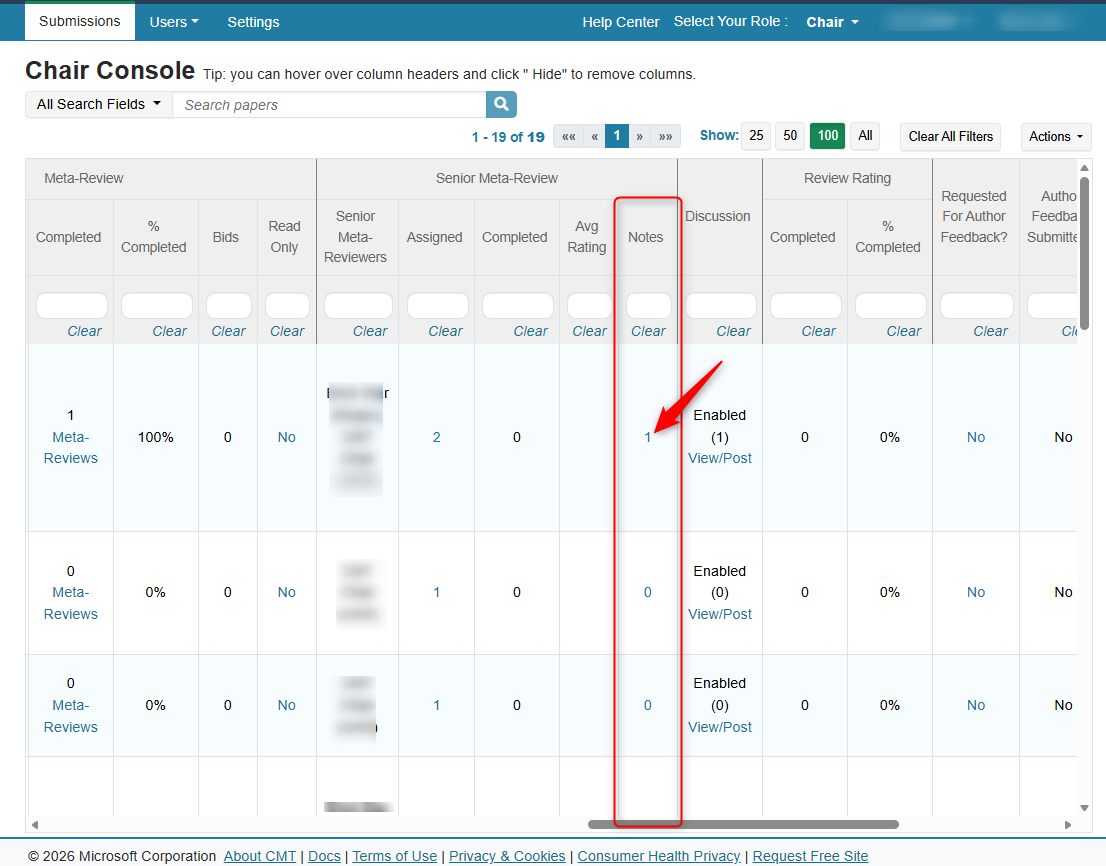
- In the Chair Console, find the row for the paper and click the number in the Senior Meta-Reviewer Note column
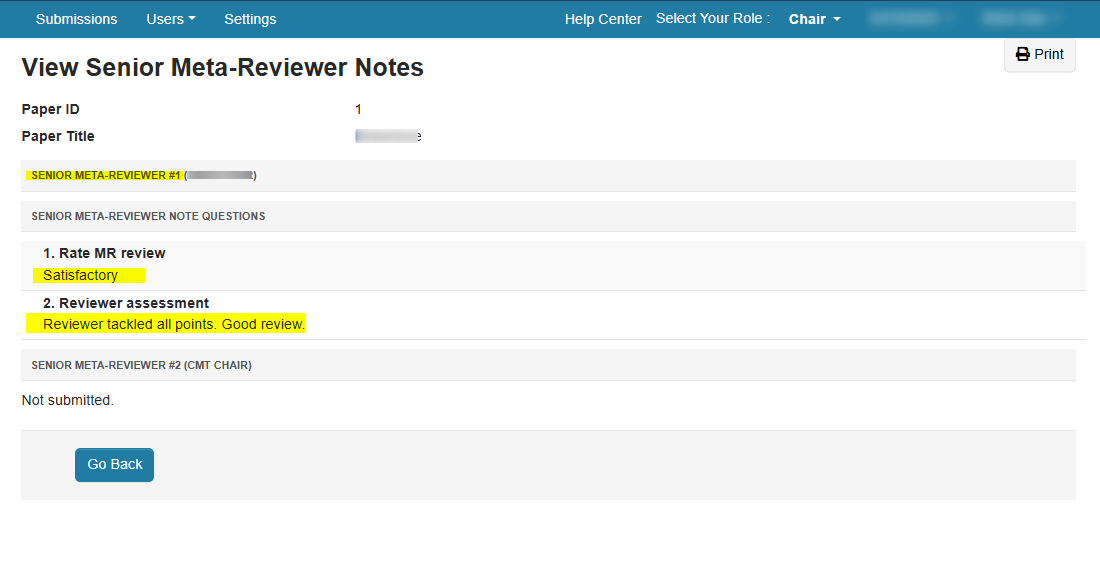
Chair can see the notes in the 'View Senior Meta-Reviewer Notes' page.
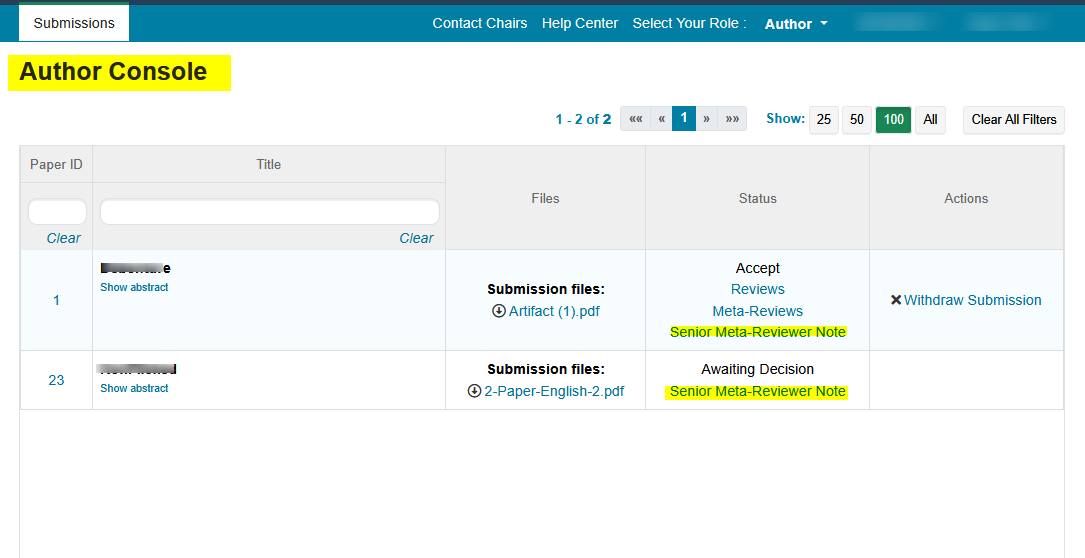
AUTHOR CONSOLE
Important
The timeline activities must be set with Author Notification = Completed and the Deadline set to a date in the past, for the Senior Meta-Reviewer note to be visible to Authors.