CHAIR HOW-TO: Enable Senior Meta-Reviewer Ratings of Submisisons
OVERVIEW
Chairs can enable Senior Meta-Reviewers to enter a rating of submissions that are assigned to them.
Note
This is different than viewing Meta-Reviewers' ratings of reviews.
RATINGS TO BE ENTERED
Create a CMT Support ticket to have the ratings you want included in the dropdown.
- They are empty by default.
- The ratings can be whatever you want.
- For example, here are 5 SMR ratings:
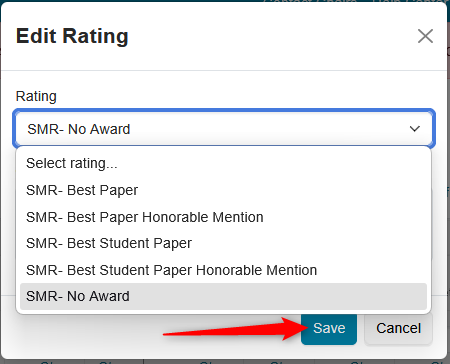
The ones shown later in this guide are:
- Poor
- Medium
- Good
SETTINGS
Important
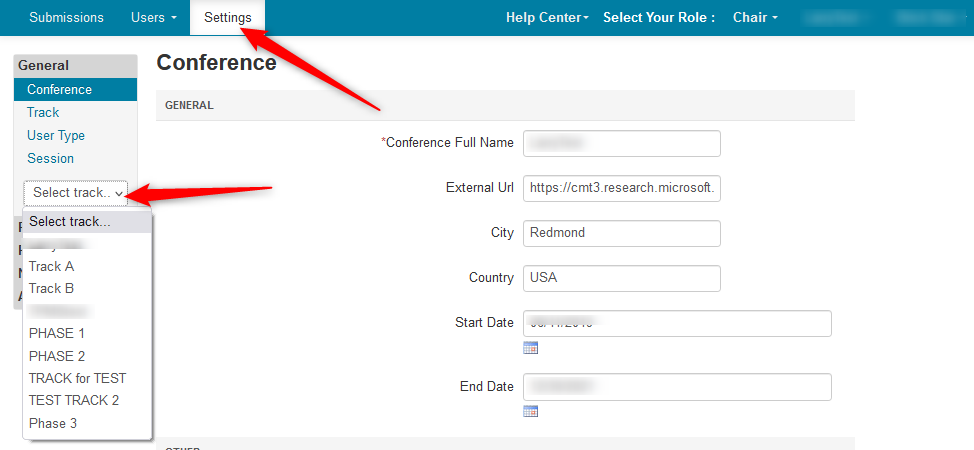
For Multi-Track conferences the desired track must be selected from the Track dropdown before this feature can be enabled. Everything after track selection is the same as a single-track conference.
- From the Settings page, select the desired track.
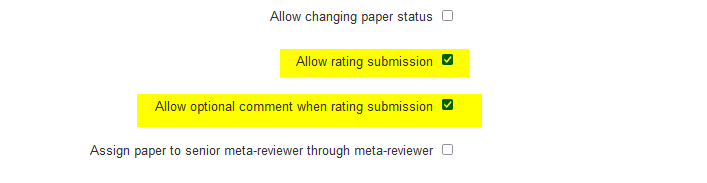
- Select ''Features>Senior Meta-Reviewer' and enable 'Allow rating submissions' and the 'Allow optional comment when rating submission' if desired. Save the changes.
WHAT THE SENIOR META-REVIEWER SEES
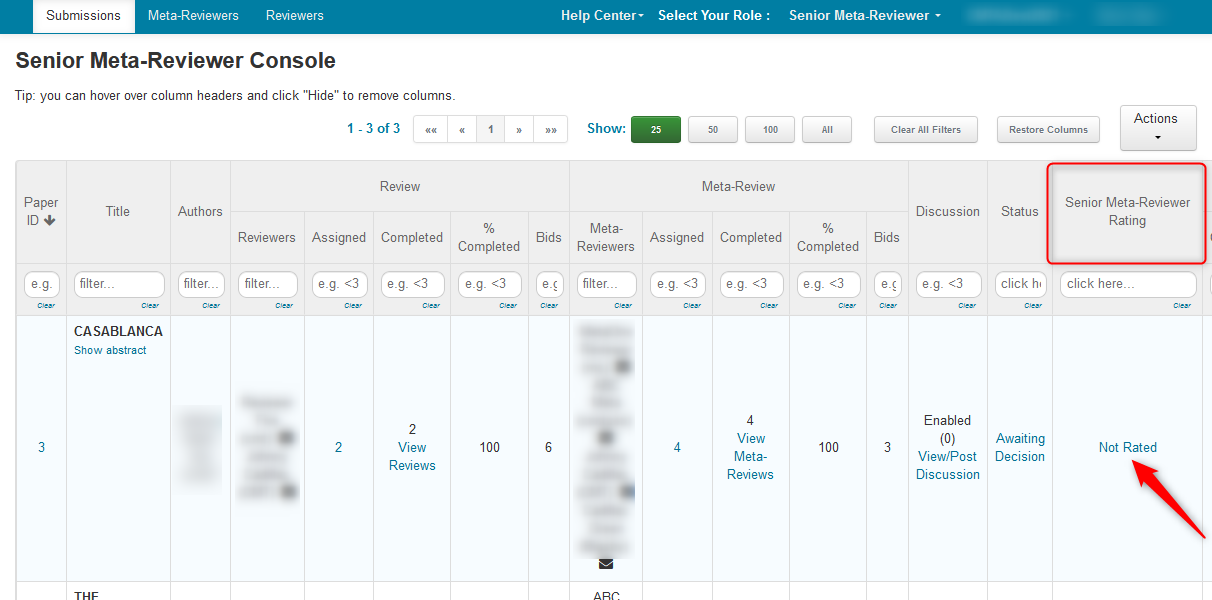
The Senior Meta-Reviewer (SMR for short) goes to the Senior Meta-Reviewer Rating column and clicks the 'Not Rated' link of the desired paper in the 'Senior Meta-Reviewer Console'.
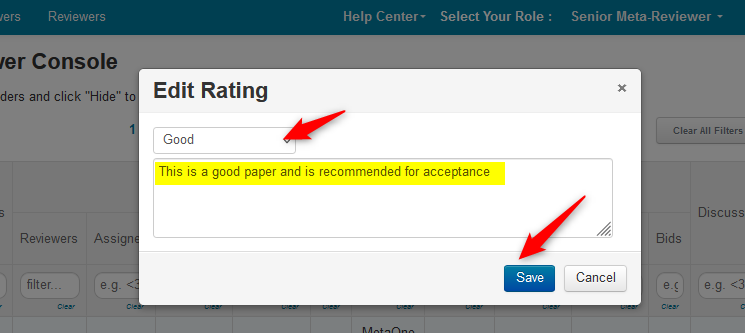
- A dialog box appears and the SMR selects the rating (by clicking on the dropdown), enters a comment, then saves the changes.
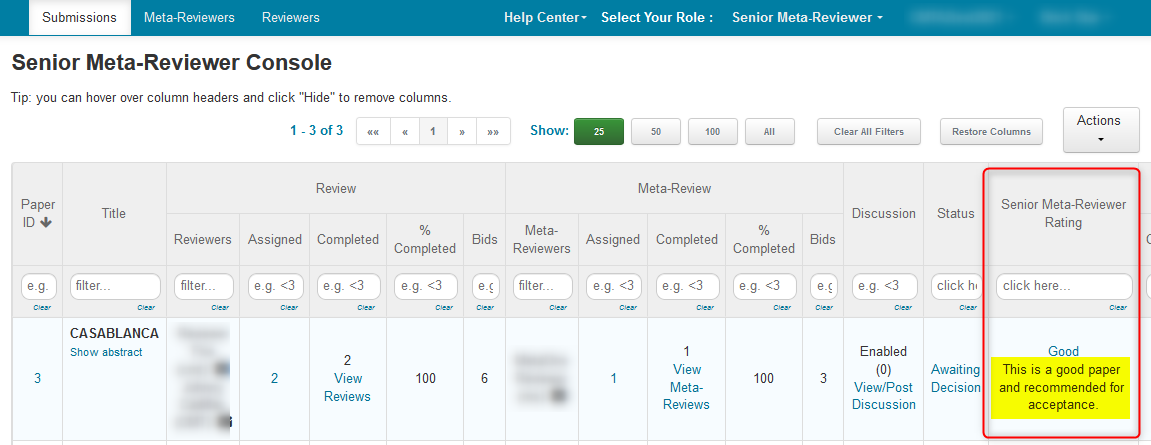
The SMR Console shows the rating and the comment.
Note
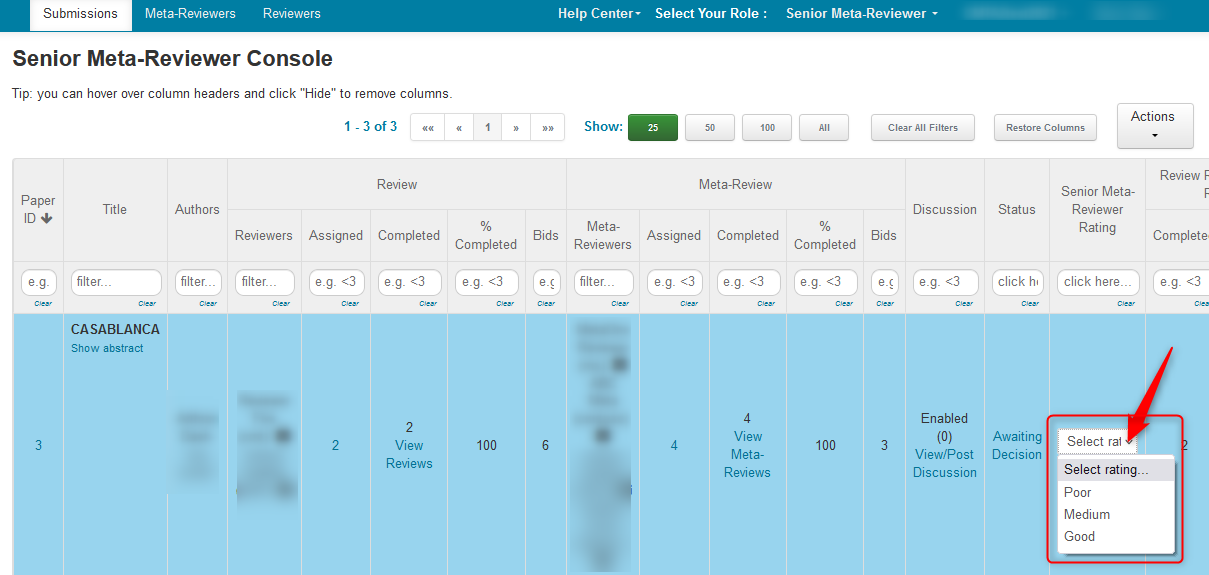
If the setting 'Allow optional comment when rating submission' is not checked, there will only a dropdown in line. No dialog box will appear.
WHAT THE CHAIR SEES
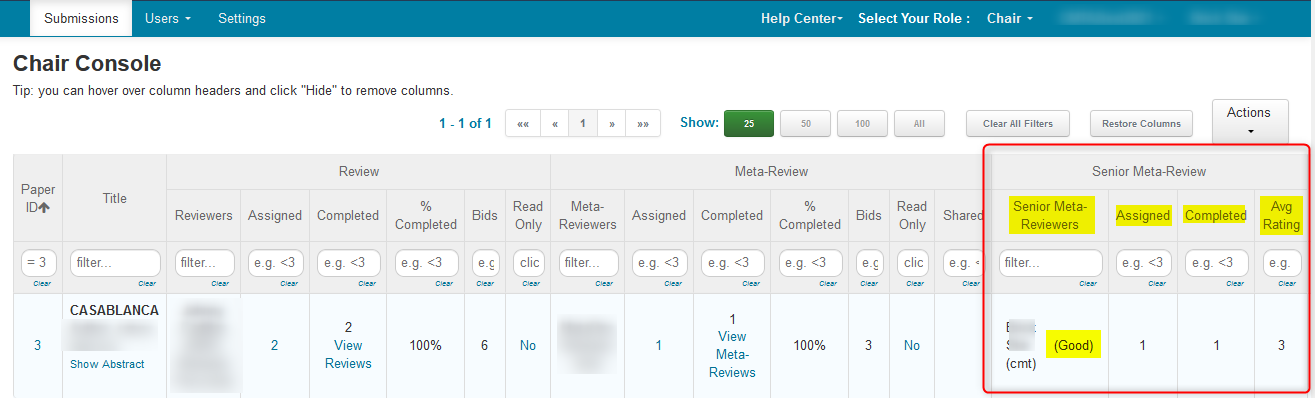
The SMR rating columns in the 'Chair Console' are visible, however it only shows the rating, the number assigned, the nuber completed and an average rating taken fron the dropdown.
The comment, if entered, is only visible in the SMR Console.