HOW META-REVIEWER EMAILS REVIEWER
OVERVIEW
Sometimes Meta-Reviewer will need to email Reviewers with questions or instructions.
This can be done from the Meta-Reviewer Console.
REVIEWER ANONYMOUS
Note
This is for Anonymous Reviewers
The Reviewer number for a paper is unique to the initial Reviewer for the duration of the conference, even if the Reviewer is removed from the paper or the conference itself.
If the conference is set by the Chair for the Meta-Reviewer not to see the identity of the Reviewer, then the Reviewer will have a number.
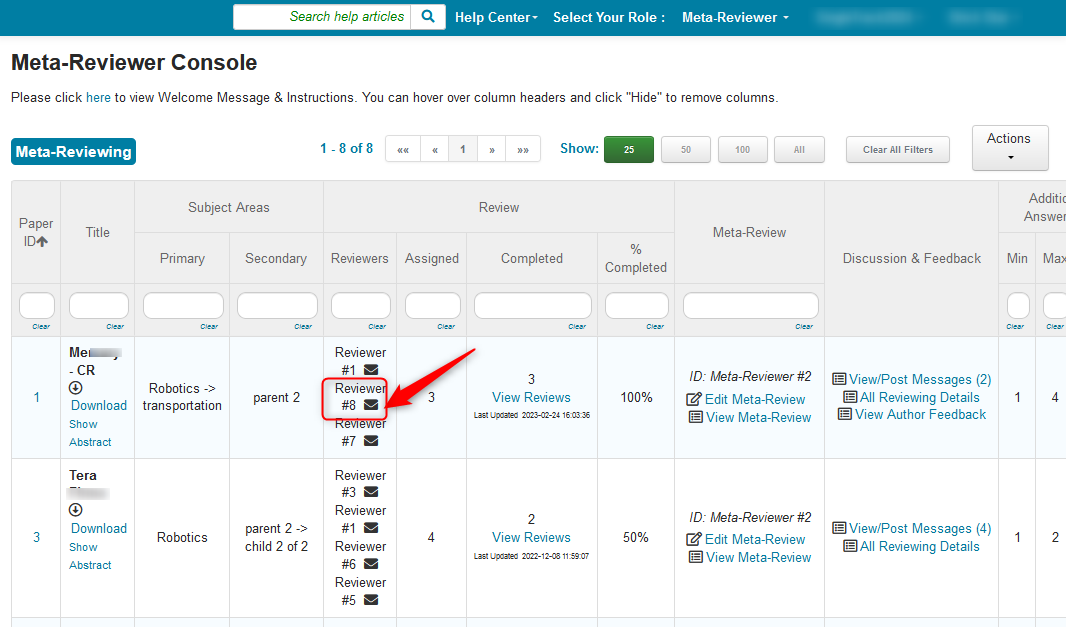
- The Meta-Reviewer clicks the envelope icon next to the number of the Reviewer the Meta-Reviewer wants to email.
In this example is is Paper ID #1 and Reviewer #8
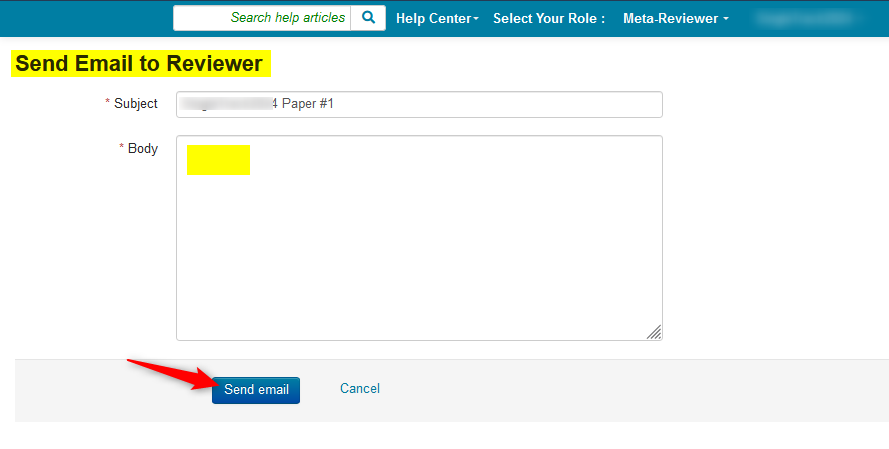
The Send Email to Reviewer page pops up.
It is here the Meta-Reviewer enters the email and sends it.
REVIEWER IDENTITY VISIBLE
If the conference is set by the Chair for the Meta-Reviewer to see the identity of the Reviewer, then the Reviewer's name will appear.
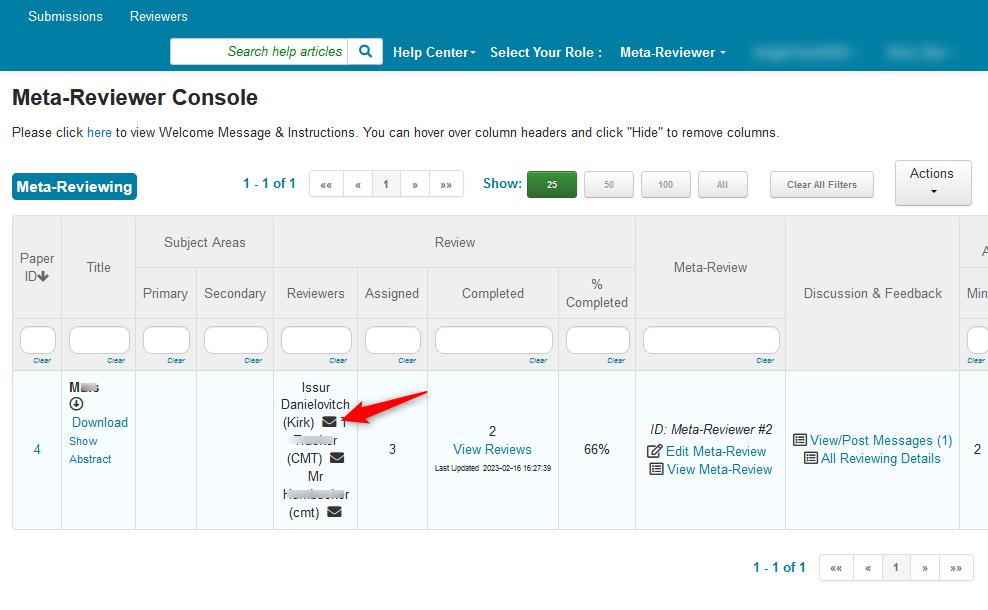
- The Meta-Reviewer clicks the envelope icon next to the name of the Reviewer the Meta-Reviewer wants to email.
In this example is is Paper ID #4 and Issur Danielovitch.
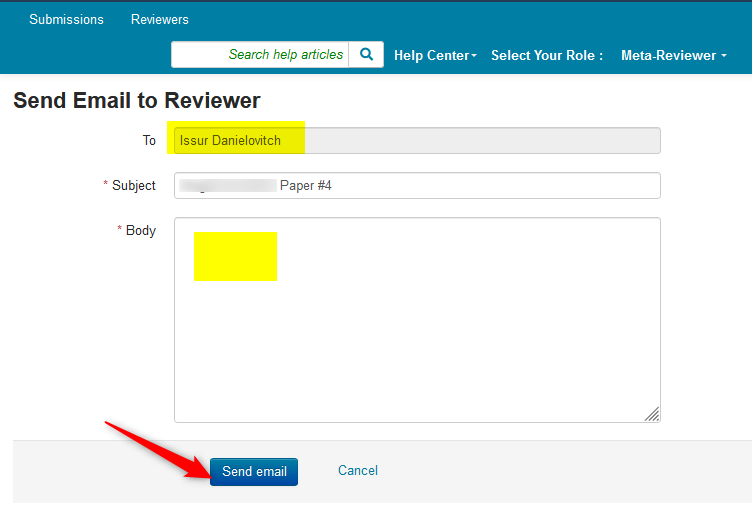
The Send Email to Reviewer page pops up.
It is here the Meta-Reviewer enters the email and sends it.
Please note that the Reviewer name is clearly visible in the 'To' field.
EMAIL HISTORY
- To view your email history, click on your name dropdown in the Meta-Reviewer Console and select 'My Email History.'
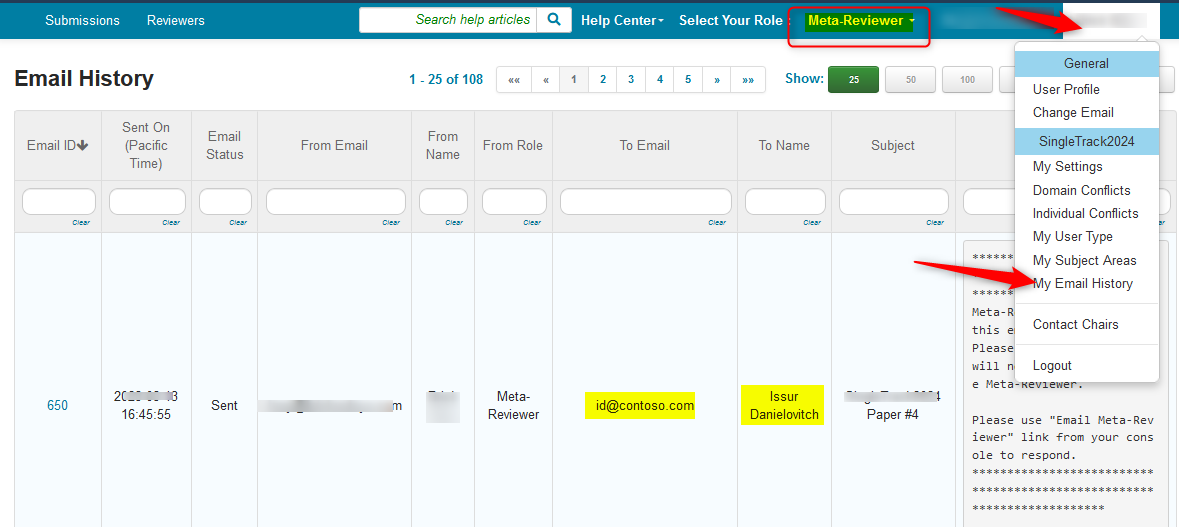
The email just sent is listed. Please note that columns can be filtered and sorted if needed.