CHAIR HOW-TO: Import Senior Meta-Reviewers
OVERVIEW
There are a number of ways to add Senior Meta-Reviewers to a conference:
- Adding the Senior Meta-Reviewer role to an existing user already in the conference.
- Import them in bulk
- Invite them one at a time
- Invite them in bulk
Important
Trying to import an unregistered email (an email that is not a valid account in CMT) will result in a 'FAIL' for that user. The user will not be added to the conference.
This document will cover importing Senior Meta-Reviewers. Importing Senior Meta-Reviewers will automatically add them to the conference as Senior Meta-Reviewers.
Note
No invitation will be sent.
No automatic email will be sent.
IMPORT SENIOR META-REVIEWERS (BULK)
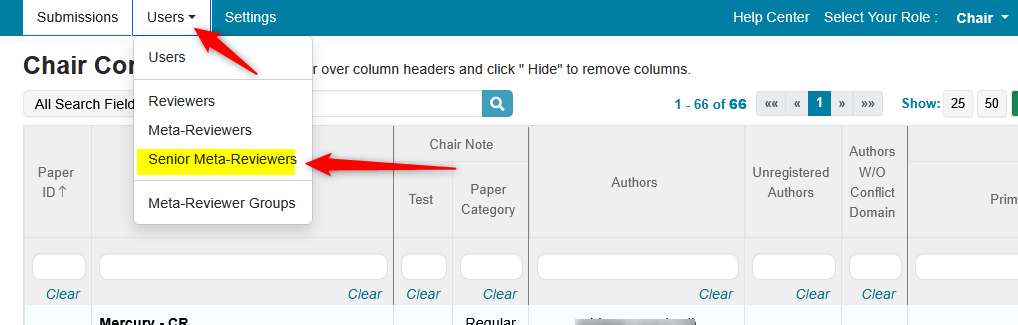
- From the Chair Console click the ‘Users Tab’ and select ‘Senior Meta-Reviewers.’
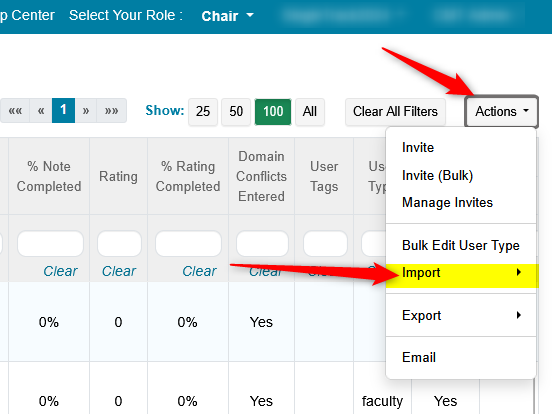
- On the 'Manage Senior Meta-Reviewers' page, click 'Actions>Import.'
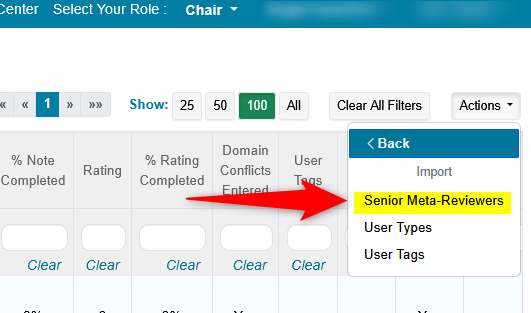
- In the secondary menu, click 'Senior Meta-Reviewers.'
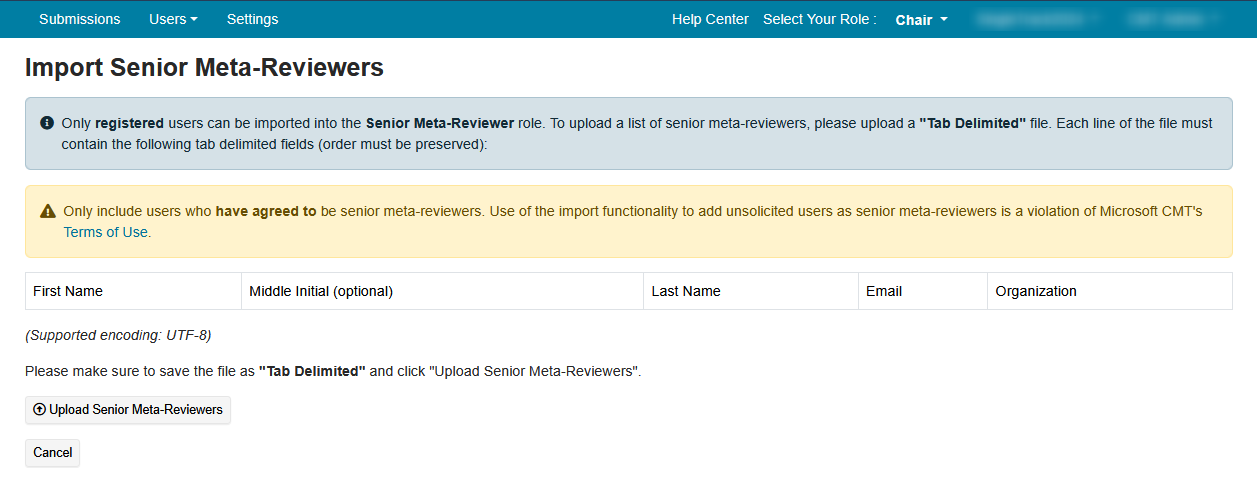
The Import Senior Meta-Reviewers page opens.
Important
Only registered users can be imported into the Senior Meta-Reviewer role.
Warning
Only include users who have agreed to be Senior Meta-Reviewers. Use of the import functionality to add unsolicited users as meta-reviewers is a violation of Microsoft CMT's Terms of Use.
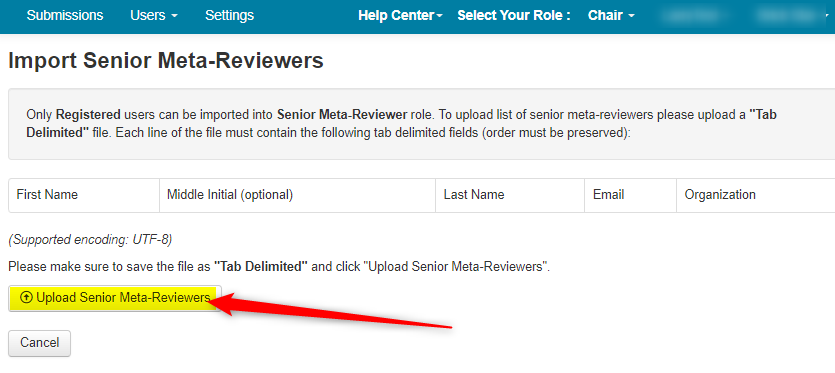
To upload a list of meta-reviewers, please upload a "Tab Delimited" file.
Each line of the file must contain the following tab delimited fields (order must be preserved)
FIRST NAME - MIDDLE INITIAL (OPTIONAL) - LAST NAME - EMAIL - ORGANIZATION
Note
Uploading a tab delimited text file will import many senior meta-reviewers into the conference.
- Open a text editor and enter the Senior Meta-Reviewers’ information as noted in the ‘Import Senior Meta-Reviewers’ page.
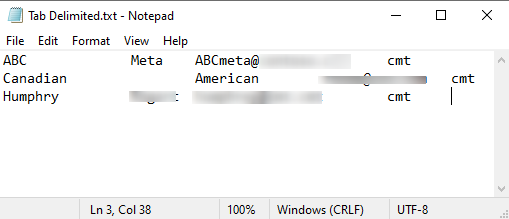
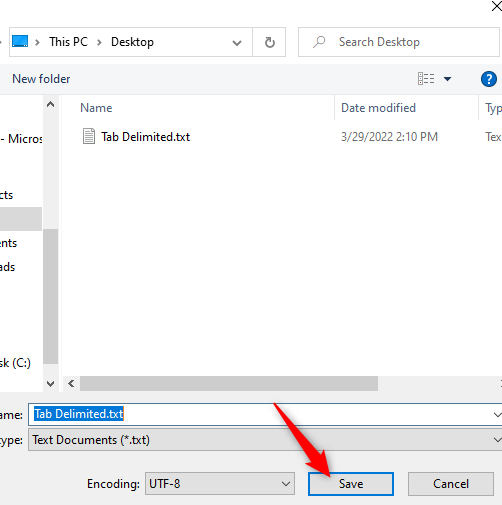
- Save file as ‘Tab Delimited.’
UPLOAD FILE
- From the ‘Import Senior Meta-Reviewer’ page click ‘Upload Senior Meta-Reviewers.’
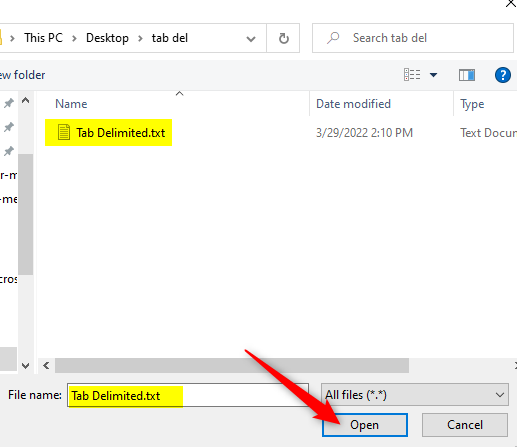
- Click ‘Open.’
- Verify the data, select the tracks you want these Senior Meta-Reviewers to be in, then click ‘Save Changes.’
Note
In a Single-Track conference there will be no tracks from which to choose.
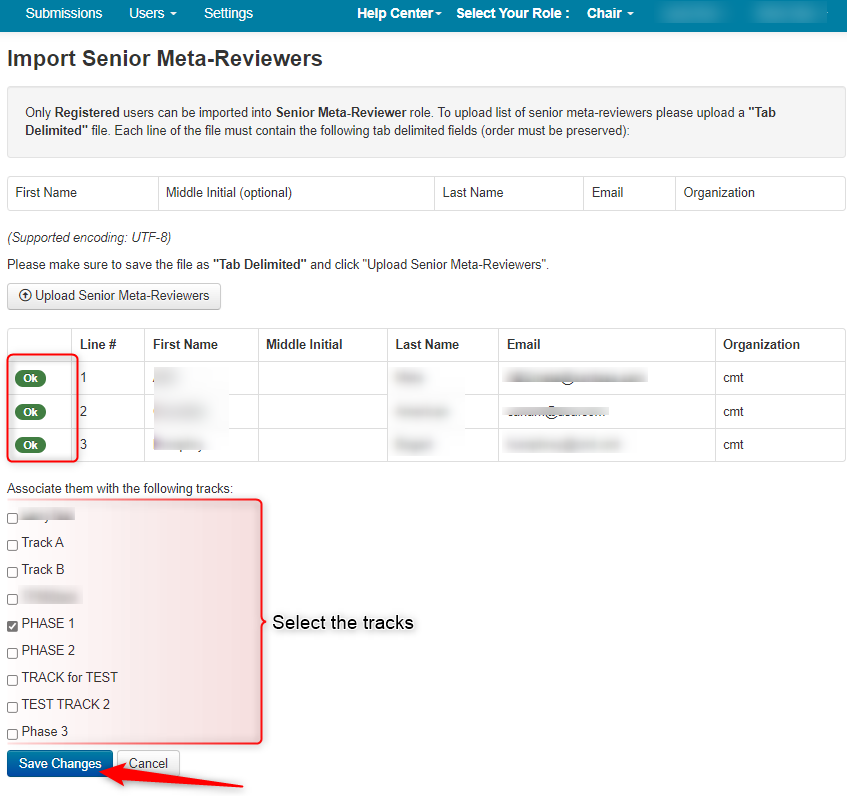
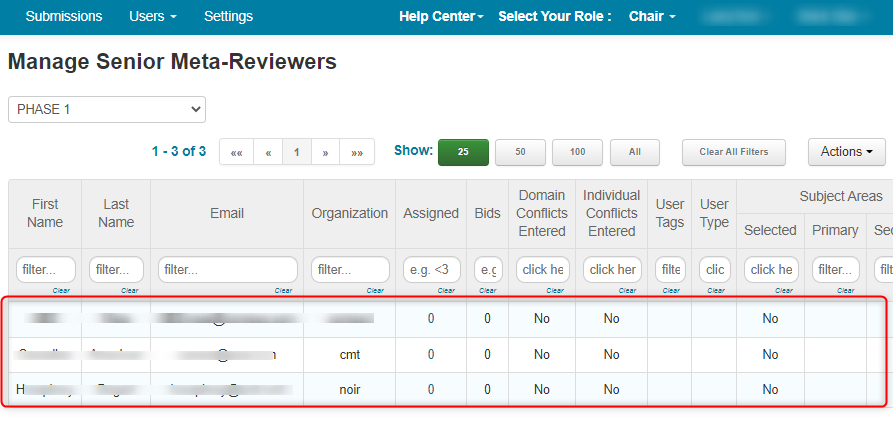
- Verify the ‘Manage Senior Meta-Reviewers’ page shows the imported Senior Meta-Reviewers.
Note
In a Multi-Track conference the newly imported Senior Meta-Reviewers will be in the Manage Senior Meta-Reviewers page as well as all the track pages selected upon import.
TIPS
Important
When you use bulk import:
- No invitation will be sent.
- No automatic email will be sent.
- Senior Meta-Reviewers cannot accept/decline – they are just added to the conference.
It is advised to use bulk import when you know the Senior Meta-Reviewers want to be Senior Meta-Reviewers for your conference.