CHAIR HOW-TO: Allow Meta-Reviewers to Rate Reviews
OVERVIEW
This will allow Meta-Reviewers to rate the reviews of the papers assigned. The Meta-Reviewers will select a rating which is text.
Failed to Meet Expectations
Met Expectations
Exceeded Expectations
WHO CAN SEE THE RATINGS?
The rating of reviews made by Meta-Reviewers can be seen only by Chairs and Senior Meta-Reviewers in their respective consoles.
Note
The Meta-Review Submission activity must be enabled with proper future date for Meta-Reviewers to enter their ratings.
Additionally, if everything is set up correctly and there are no ratings to view by the Senior Meta-Reviewers or Chairs, that means the Meta-Reviewers did not enter any ratings.
META-REVIEW SETTINGS
Important
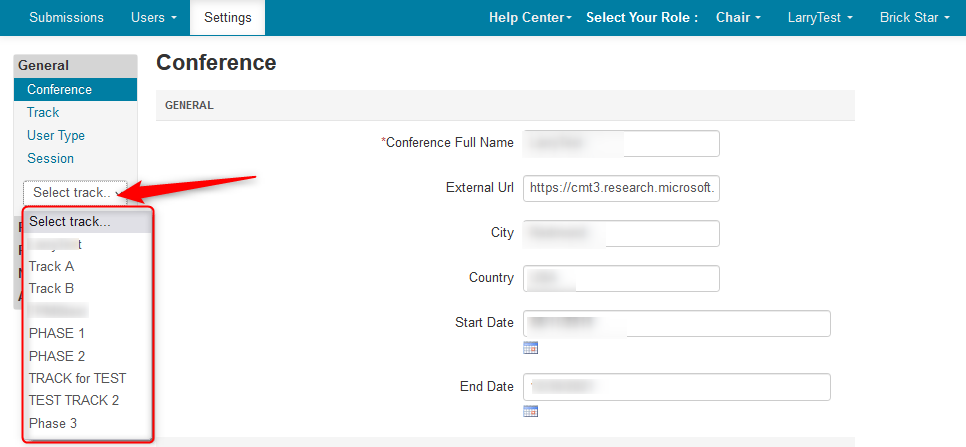
For Multi-Track conferences first pick the desired track in the Settings page. Once the track is selected, proceed as below.
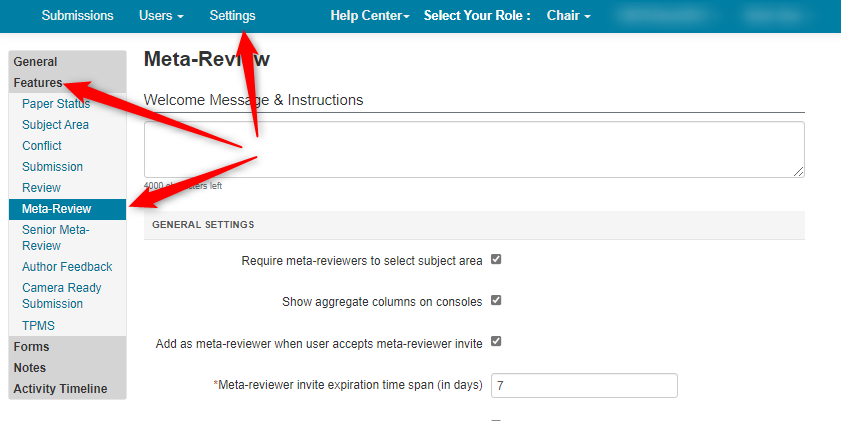
- Go to the Settings tab, click Features>Meta-Review
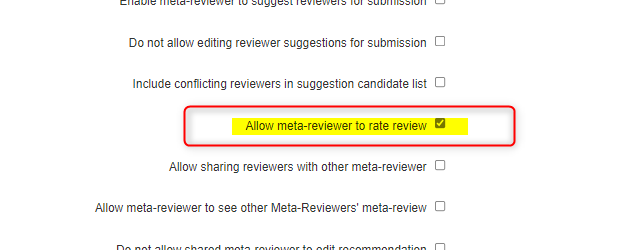
- Enable 'Allow meta-reviewer to rate review.' Save the changes.
WHAT THE META-REVIEWER SEES
Click here to see how the Meta-Reviewer rates the reviews.
CHAIR VIEWS THE RATINGS BY PAPER
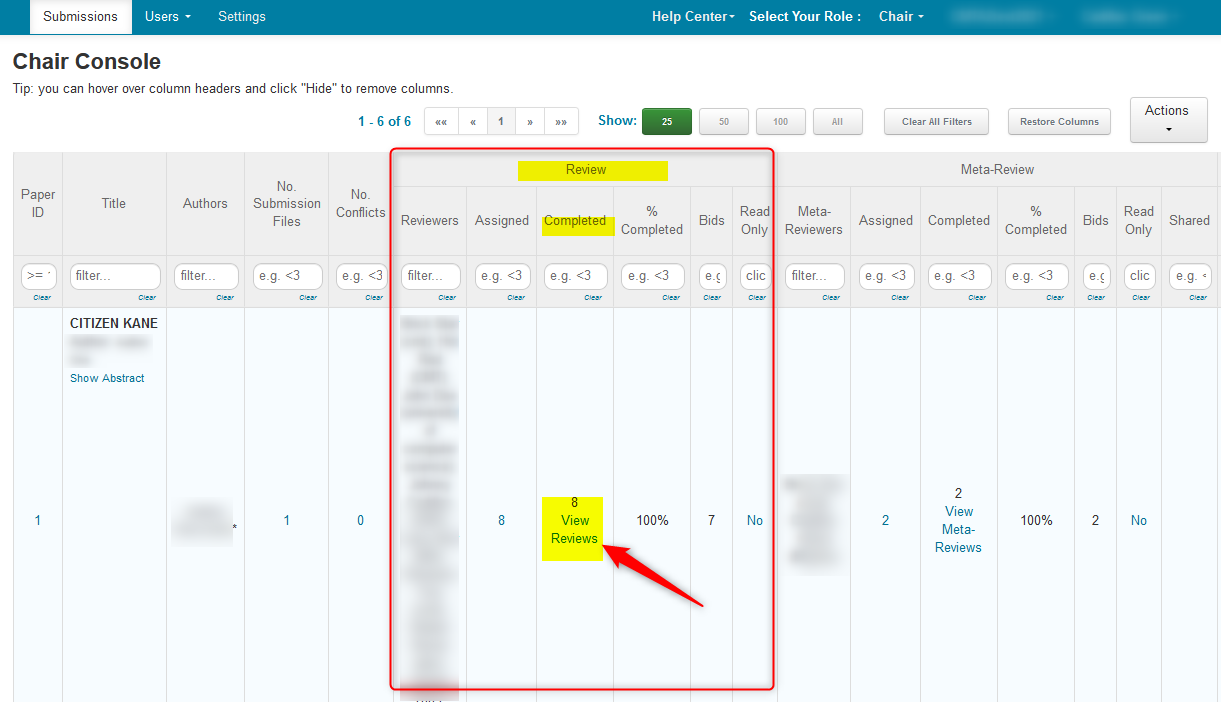
- In the Chair Console, find the row, then click on 'View Reviews' in the 'Completed' column of the Reviews.
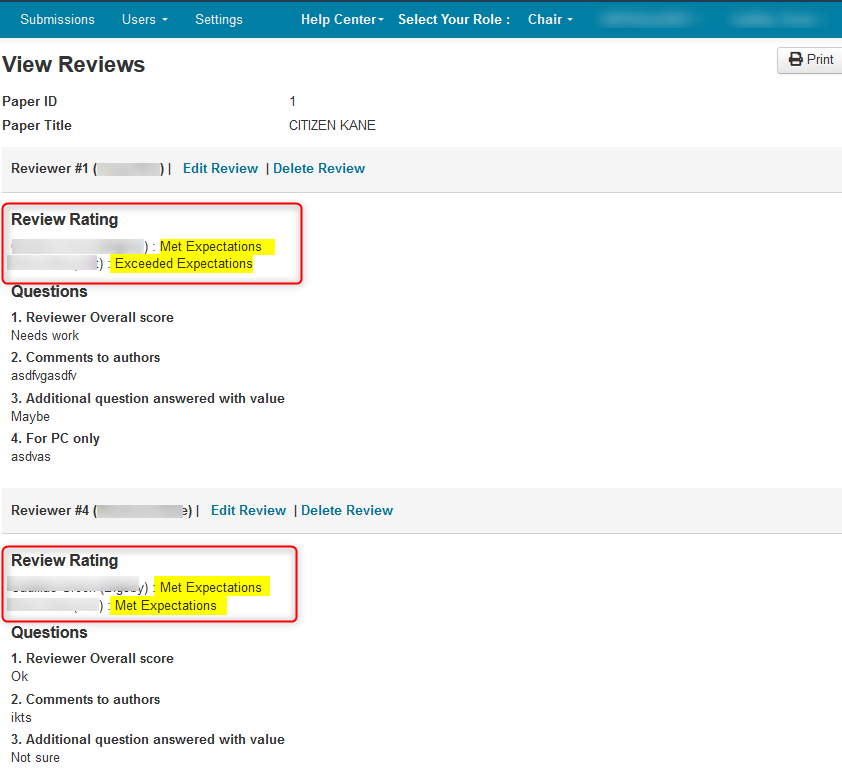
The Meta-Reviewers' ratings are visible. (In this case there are 2 meta-reviewer ratings)
CHAIR VIEWS THE RATINGS BY REVIEWER
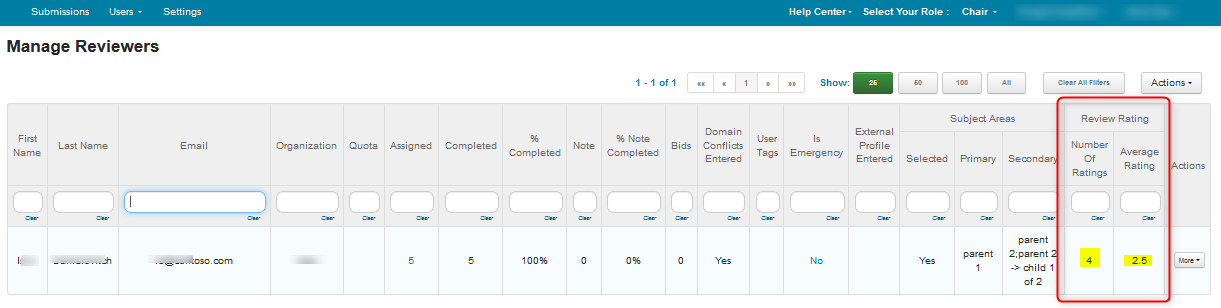
In the 'Manage Reviewers' page locate the row of the reviewer then view the 'Reviewer Ratings' columns. It will show how many review ratings were gioven and the average of all for that reviewer.
SENIOR META-REVIEWER VIEWS THE RATINGS
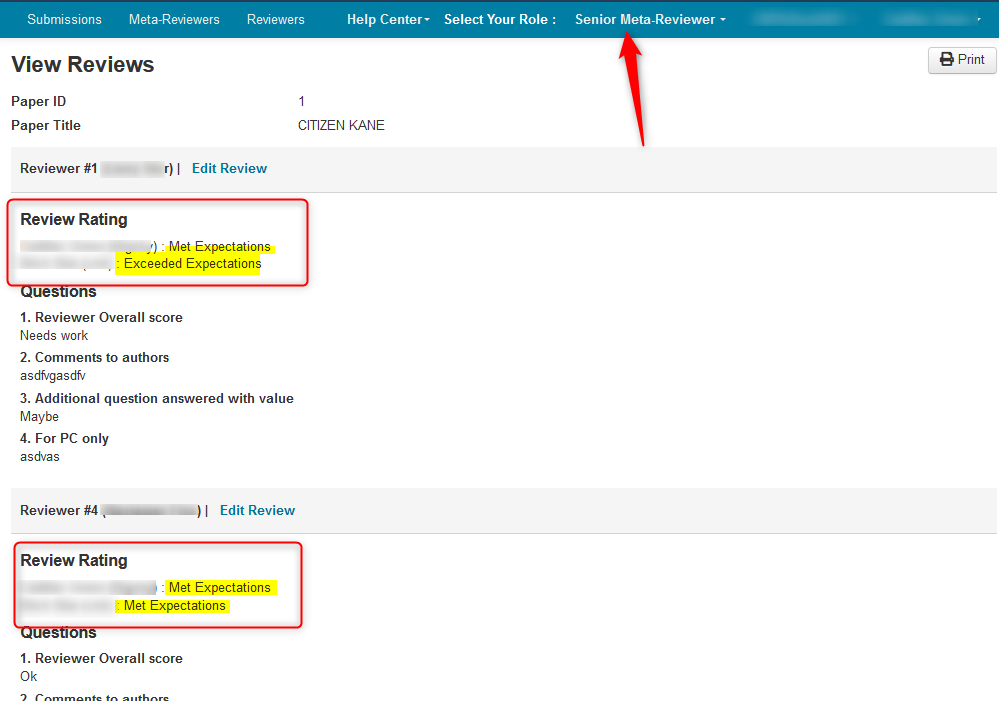
- In the Senior Meta-Reviewer Console, click on 'View Reviews' in the 'Completed' column of the Reviews.
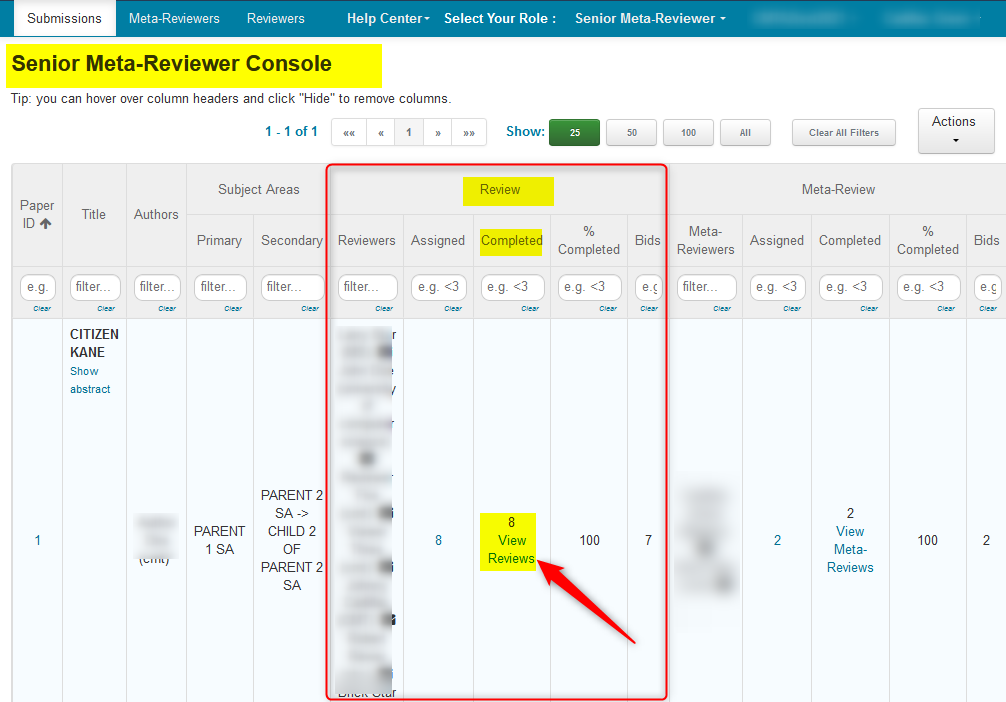
The Meta-Reviewers' rating is visible. (In this case there are 2 meta-reviewer ratings)
CHAIR EXPORTS THE RATINGS
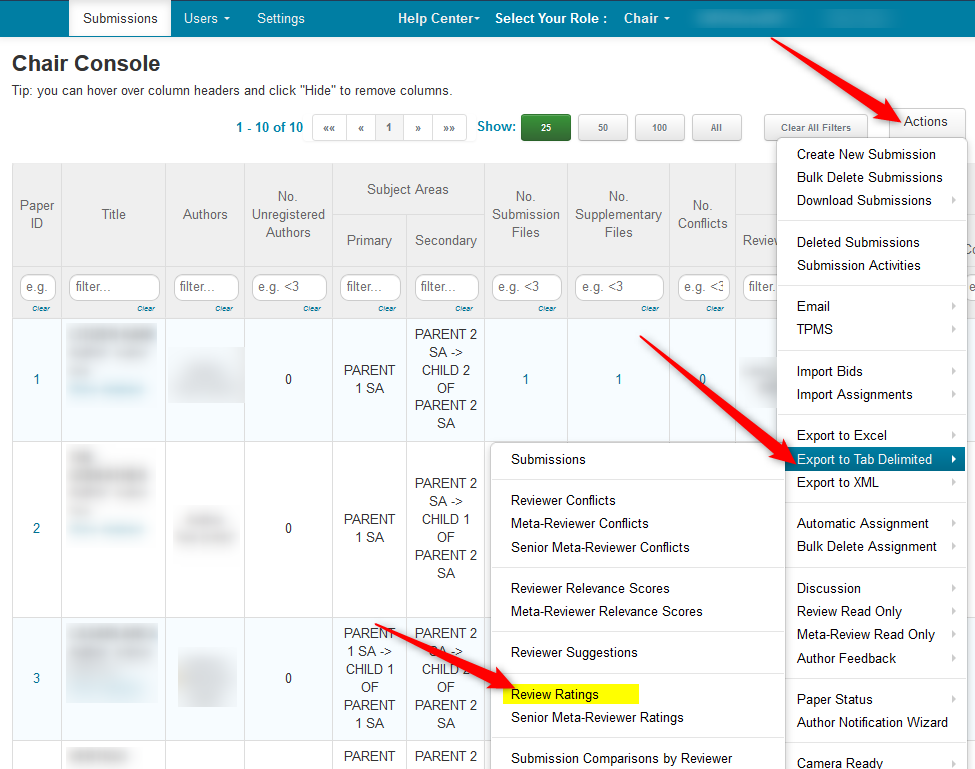
- From the Chair Console, click 'Actions>Export to Tab Delimited>Review Ratings
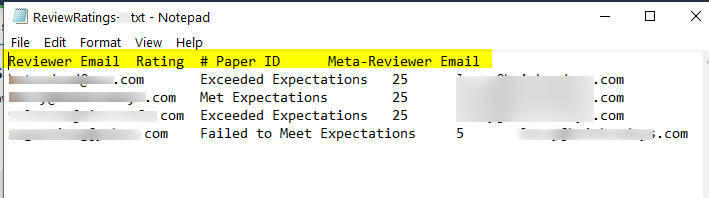
- Open the file with your desired text editor
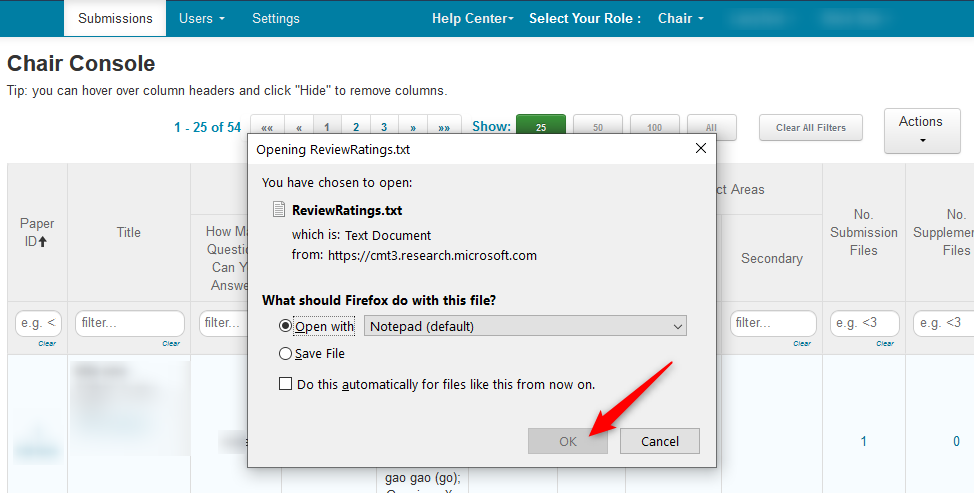
The file shows the Reviewer email, the rating, the paper ID, and the Meta-Reviewer email. For conferences with a lot of papers, this can easily be transferred to Excel for filtering and sorting.