CHAIR HOW-TO: Share Conference Link
OVERVIEW
After a conference is created in CMT, Chairs may want to share the conference link with potential PC members and authors. Chairs may also want to post it in the CFP in the conference website.
Note
A user must have a valid CMT account to enter the conference. Click here to see how to create an account.
CMT CONFERENCE CONFIRMATION EMAIL
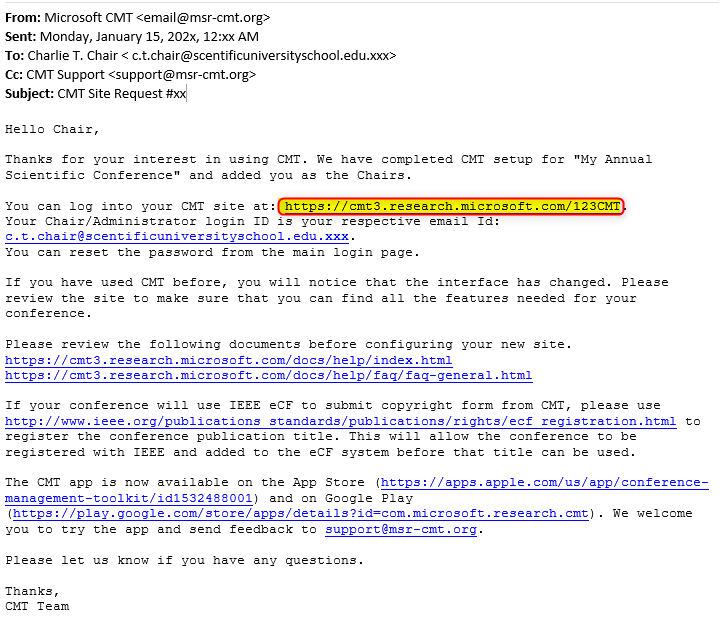
When the conference has been approved and created, an email will be sent to the Chairs.
In that email is the link to the CMT conference site that can be shared/posted (highlighted in yellow below).
The link you will share will end with your conference short name and year.
For example: .../SHORTNAME2025
Note
The example below does not have a year as is just for instructional purposes.
WHERE ELSE TO FIND THE URL
If the conference confirmation email cannot be accessed/found, just log into CMT and click on the conference to get to the Chair Console.
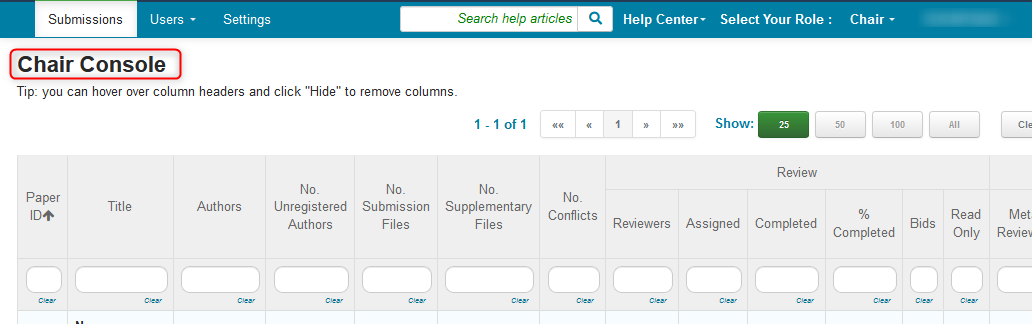
In the browser address bar is the link for the conference, however it must be shortened manually to share without issues.

- Copy the link, paste it in a notepad and remove everything at the end of the string so only the CMT URL and the conference short name show, as highlighted below. (The top URL is from the browser, the highlighted one is the one to share).
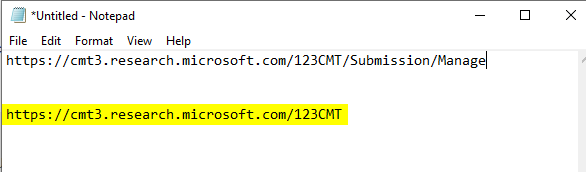
- Copy the newly created URL and share with the conference users/potential members/conference CFP.