CHAIR HOW-TO: TRACK CHAIR EMAIL
OVERVIEW
This guide shows the differences where and if emails to and from the Track Chair are stored within CMT.
TRACK CHAIR RECEIVES EMAIL
Track Chair can reply to a user's email either directly from the Track Chair's own email account or through the conference Track Chair Console.
For example, the Author of Paper #15 emails the Track Chair from the Author Console.
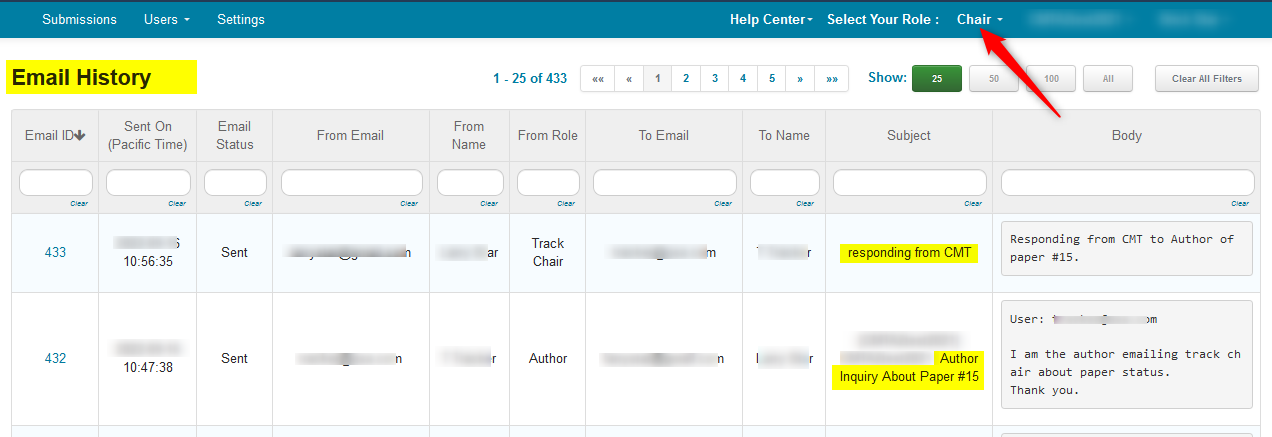
The Chair will have a record of it in their email history.
The Track Chair will not.
The Track Chair receives this email.
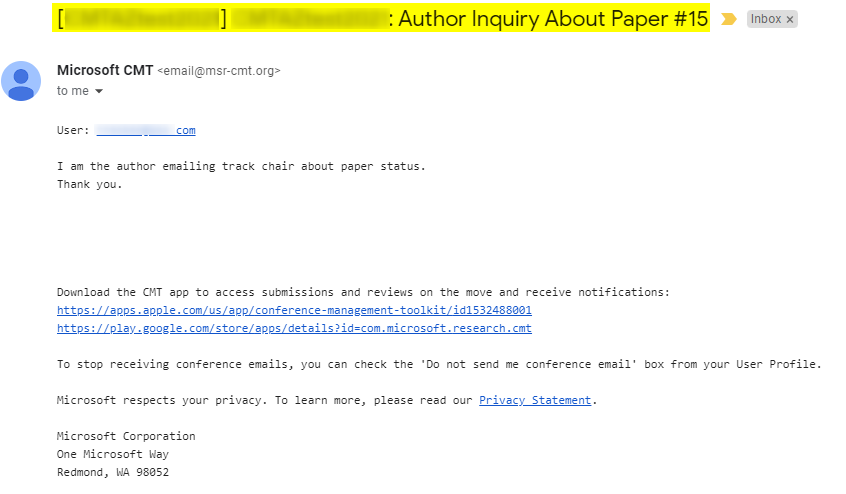
Because a Track Chair is like a Chair, authors are not anonymous.
Note
Track Chairs cannot impersonate conference users.
Only Chairs can impersonate conference users.
Therefore, the Track Chair can either elect to reply to the email directly or log into CMT and reply from there.
TRACK CHAIR REPLIES TO EMAIL DIRECTLY
If the Track Chair replies to the email directly from their own email account, there will be no record of it in CMT.
TRACK CHAIR REPLIES TO EMAIL VIA CMT
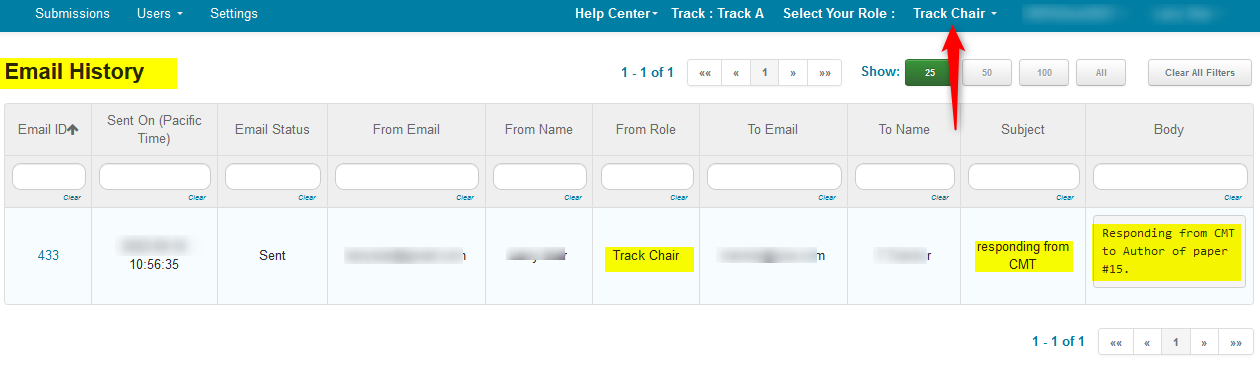
If the Track Chair replies to the email from CMT, there will a record of it in both the Track Chair’s and Chair’s email history.
The Track Chair will see only their reply to the Author in their email history:
The Chair will see both the original email from the Author to the Track Chair, and the Track Chair’s reply in their email history:
Related: How Authors Email Track Chairs