HOW-TO: Meta-Reviewer Group
OVERVIEW
The Chair of the conference has assigned Meta-Reviewers to groups to give recommendations on group-members' meta-reviews and papers. This shows what the Meta-Reviewer will see when part of a group.
ASSIGNMENTS EXAMPLE
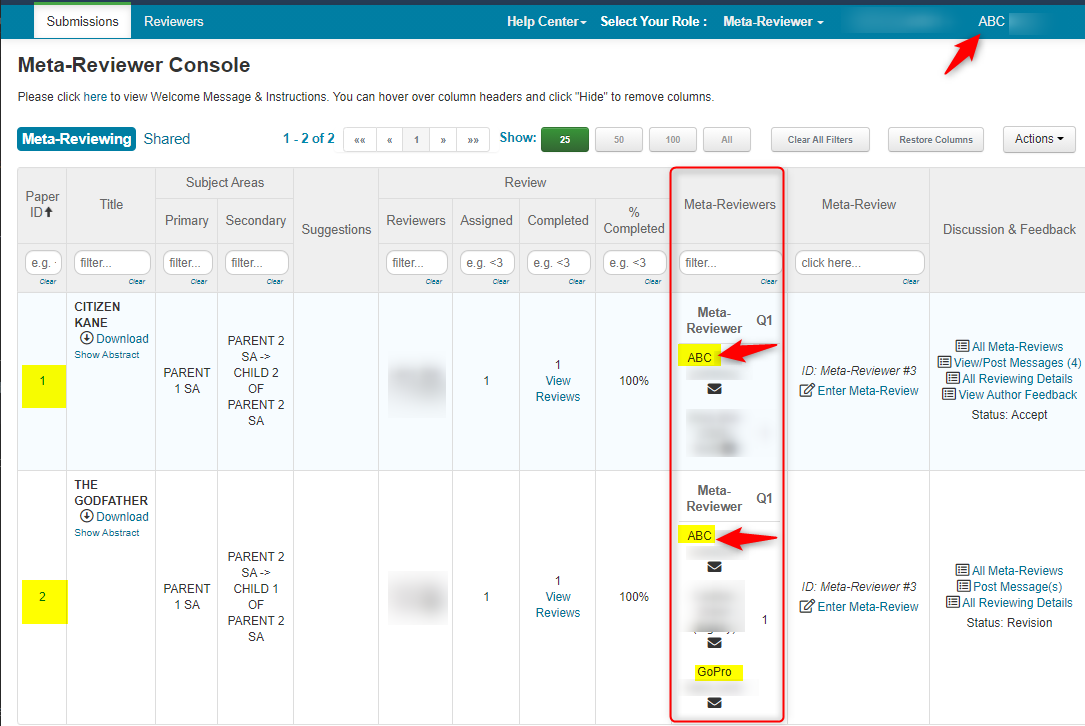
Meta-Reviewer MR1 (ABC) is assigned Paper IDs 1 and 2.
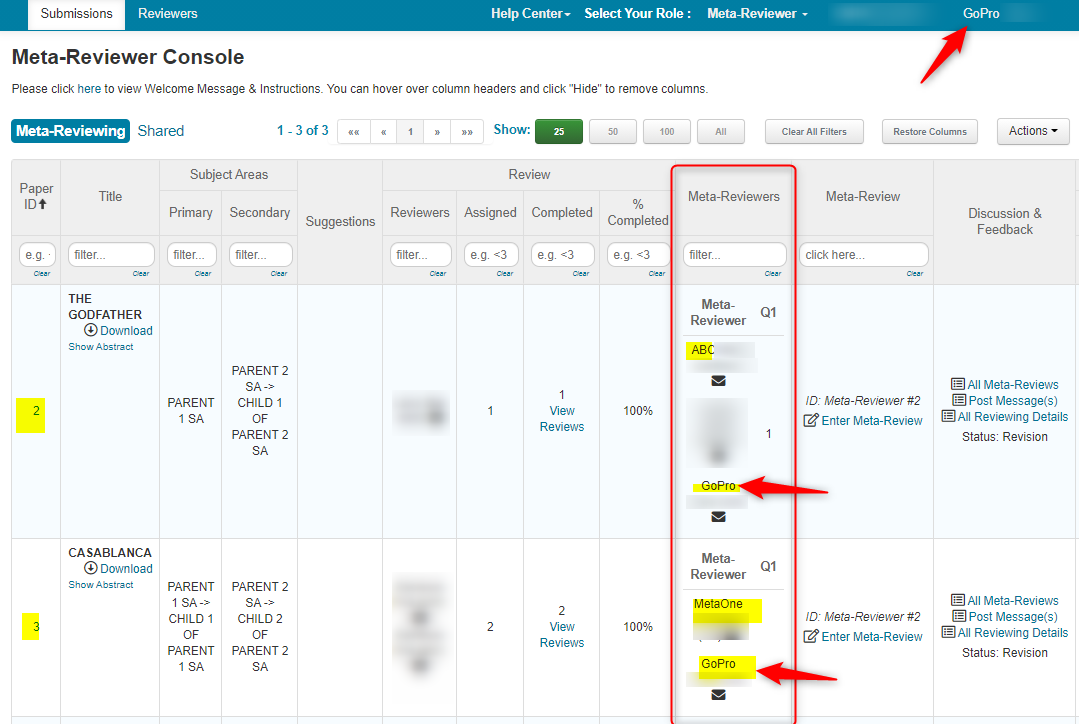
Meta-Reviewer MR2 (GoPro) is assigned Paper IDs 2 and 3.
Meta-Reviewer MR3 (MetaOne) is assigned Paper IDs 3 and 8.
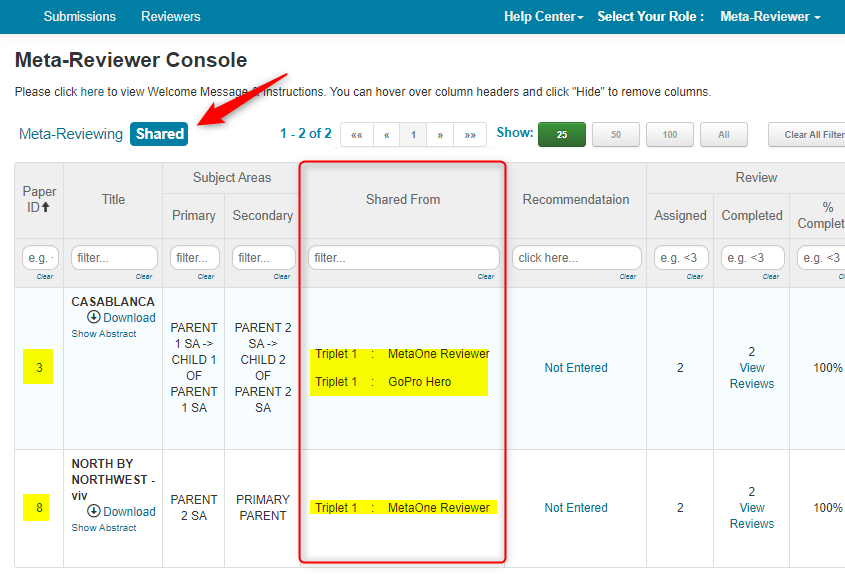
Shared tab of MR1 (ABC) will see Paper IDs 3 and 8 (from MR2 and MMR3)
Shared tab of MR2 (GoPro) will see Paper IDs 1 and 8 (from MR1 and MR3).
Shared tab of MR3 (MetaOne) will see Paper IDs 1 and 2 (from MR1 and MR2).
WHAT META-REVIEWERS WILL SEE
Meta-Reviewer Console of MR1 (ABC)
Meta-Reviewer ABC is assigned Paper IDs 1 and 2.
This shows up in ABC's 'Meta-Reviewer Console' in the 'Meta-Reviewing' tab.
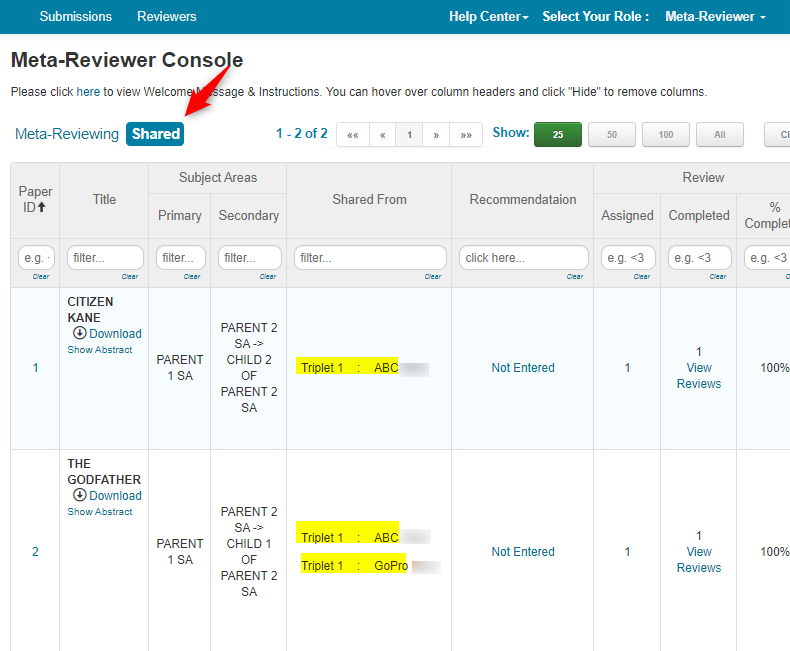
Shared tab of ABC will see Paper IDs 3 and 8 (from MR2 (GoPro) and MR3 (MetaOne)).
Meta-Reviewer Console of MR2 (GoPro)
Meta-Reviewer GoPro is assigned Paper IDs 2 and 3.
This shows up in GoPro's 'Meta-Reviewer Console' in the 'Meta-Reviewing' tab.
Shared tab of GoPro will see Paper IDs 1 and 8 (from MR1 (ABC) and MR3 (MetaOne)).
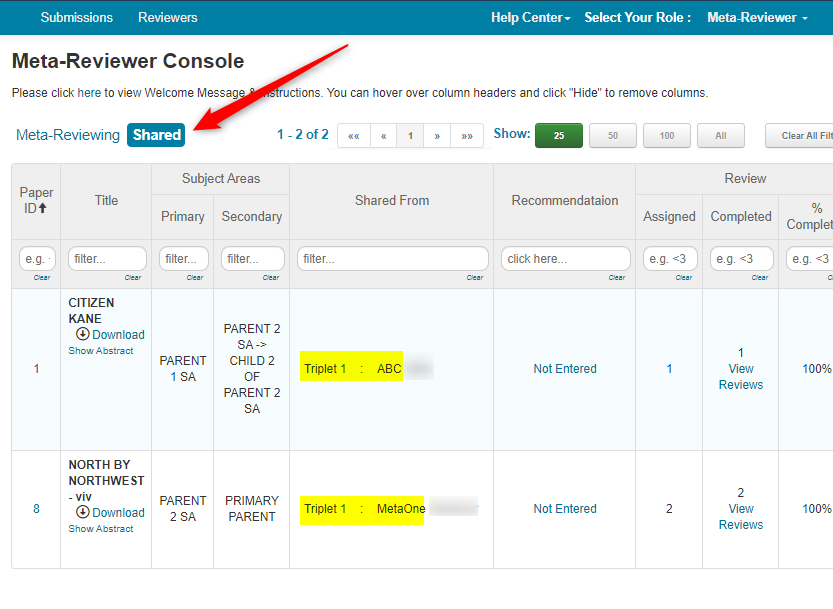
Meta-Reviewer Console of MR3 (MetaOne)
Meta-Reviewer MetaOne is assigned Paper IDs 3 and 8. This shows up in MetaOne's 'Meta-Reviewer Console' in the 'Meta-Reviewing' tab.
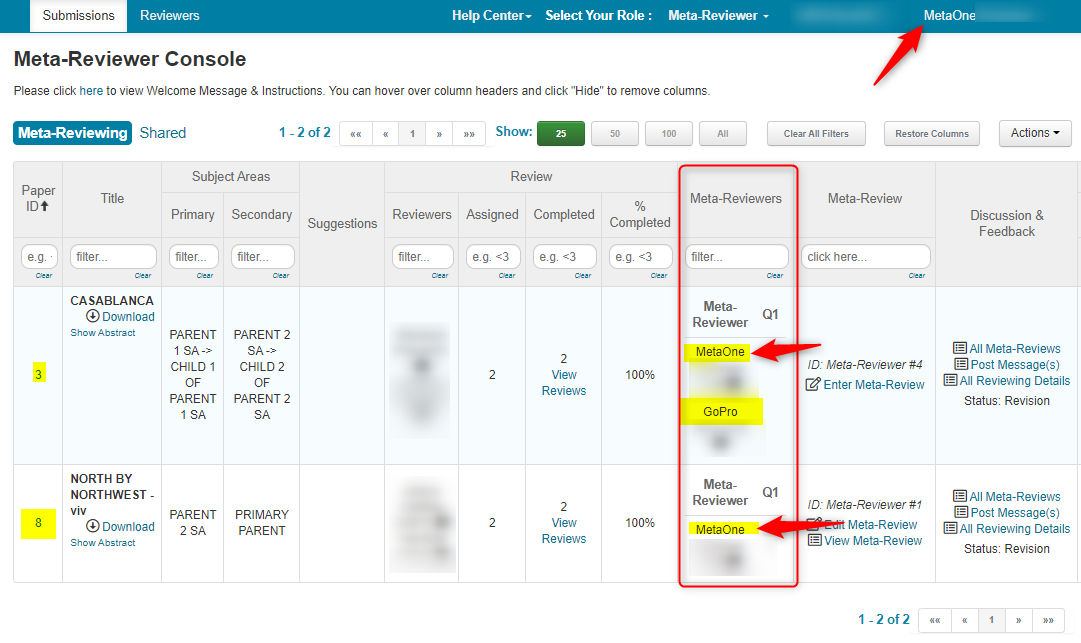
Shared tab of MR3 (MetaOne) will see Paper IDs 1 and 2 (from MR1 (ABC) and MR2 (GoPro)).
RECOMMENDATIONS
Meta-Reviewer Group members cannot submit anything other than 'Recommendation' for shared papers.
RECOMMENDATION EXAMPLE
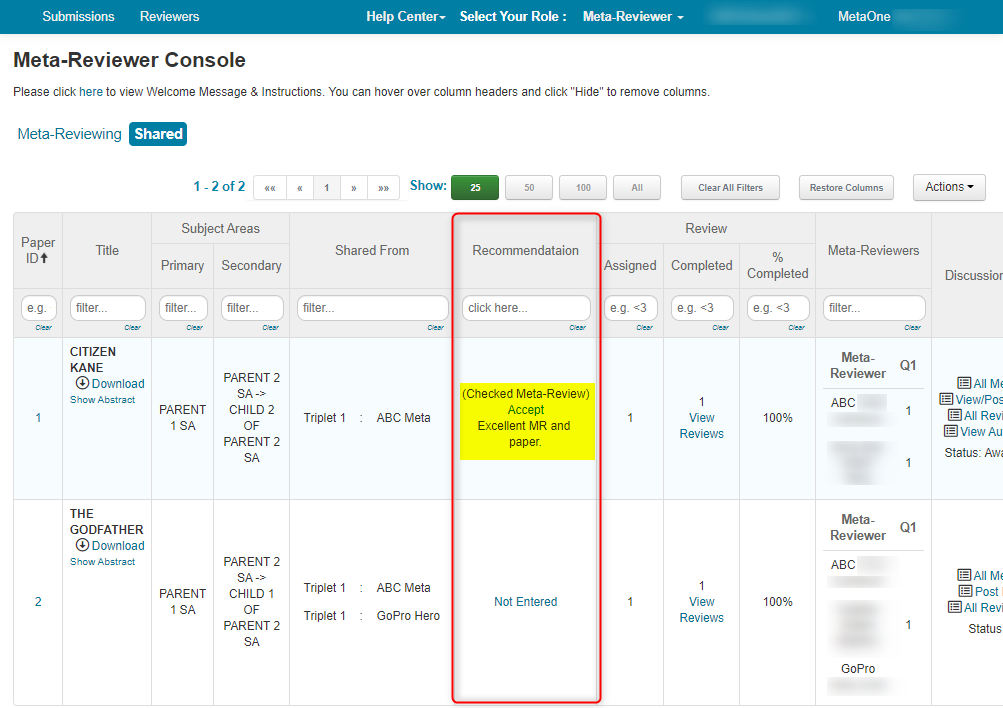
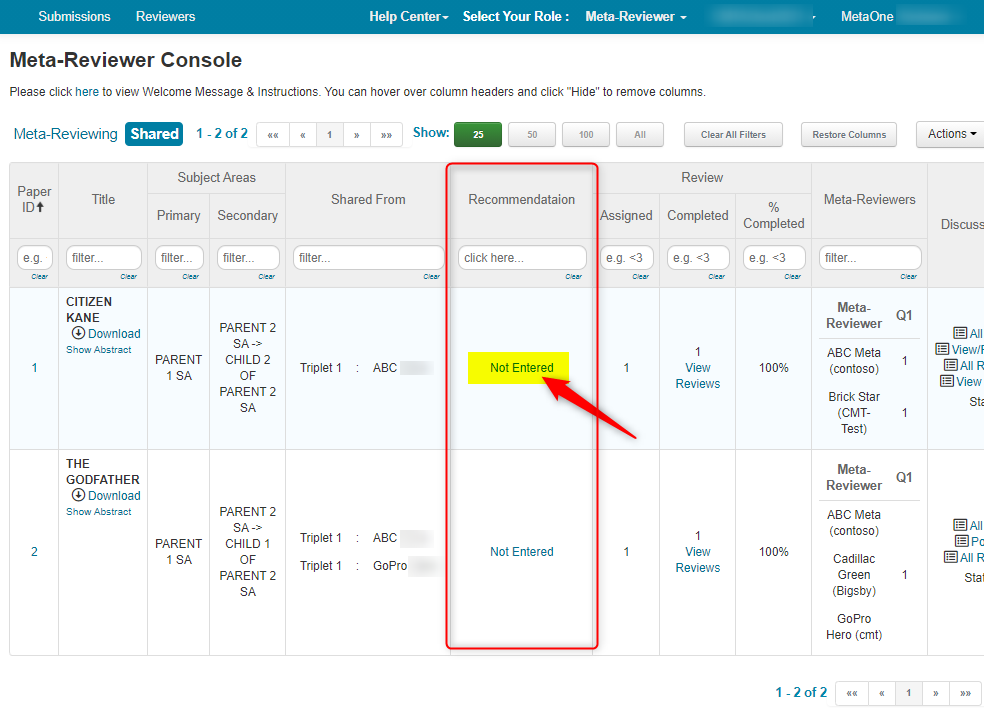
- From the Shared tab of the 'Meta-Reviewer Console' (in this case, MetaOne), click 'Not Entered' under the 'Recommendation' column
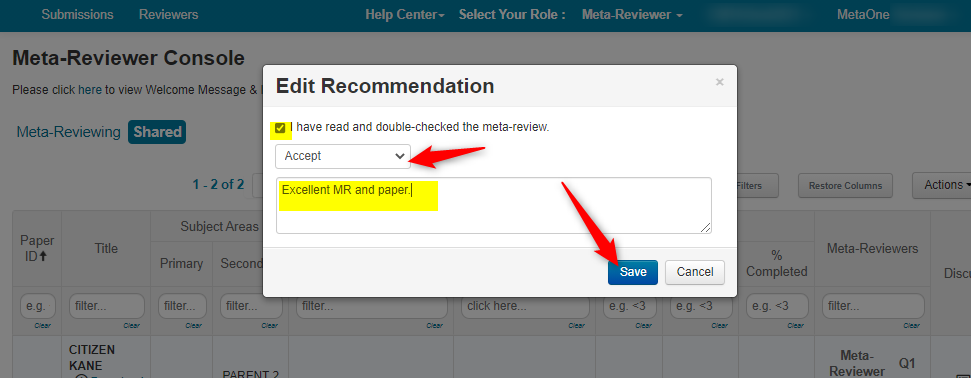
In the 'Edit Recommendation' pop-up, check 'I have read and double-checked the meta-review.'
Select an option from the dropdown. In this example we have 'Accept' and 'Reject.'
Note
If there are no selections in the dropdown, contact the chairs of the conference directly.
- Enter text in the comment field, then click 'Save.'
- Verify the recommendation is correct