HOW-TO: Reviewers View Author Feedback
OVERVIEW
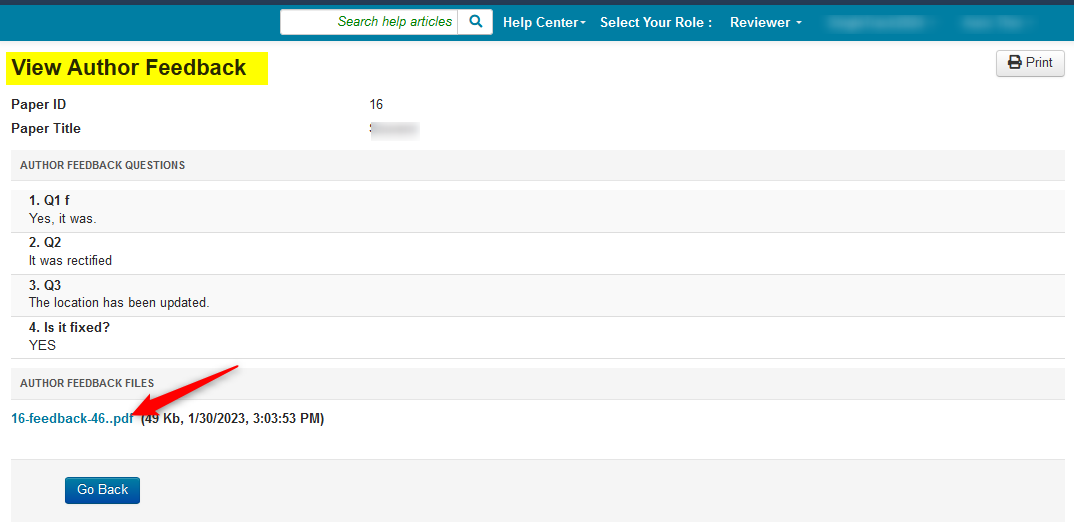
When properly configured by the Chair, Reviewers will be able to view Author Feedback. It is at the Chair's discretion if the feedback from authors will be answering questions, answering questions with a subsequent file, or just a file.
Below shows both.
Important
Chairs must have 'Review Submission' enabled with a future date for reviewers to see Author Feedback file(s).
If the link is not visible, please contact the conference Chairs directly.
REVIEWER CONSOLE
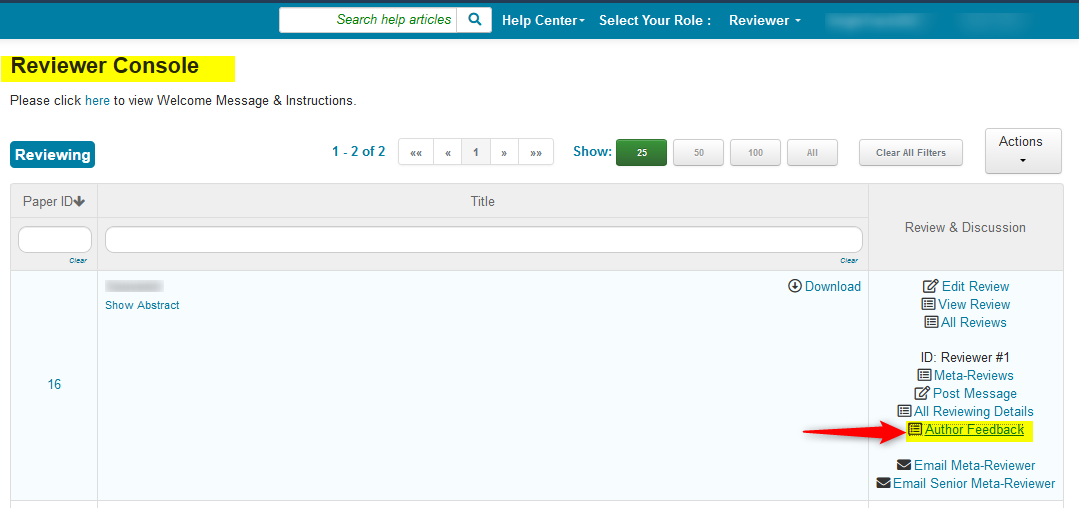
When loggin into CMT in the 'Reviewer Console', the 'Author Feedback' link is visible.
- Click the 'Author Feedback' link.
AUTHOR FEEDBACK PAGE
The 'Author Feedback' page opens.
It is here the Reviewer can view the answered questions as well as download any 'Author Feedback' file(s).
- To view the 'Author Feedback' file itself, click on the pdf link.