Chair HOW-TO: Restore Deleted Assignments
OVERVIEW
Sometimes assignments will be mistakenly deleted.
This guide will show how to restore those assignments.
IMPORT THE ASSIGNMENTS FILE ONCE MORE
If you created assignments by importing a file, just re-import the file.
The assignments will reappear as well as any reviews.
ASSIGNMENTS EXTERNALLY SAVED
If you externally saved the reviewer assignments in a different format than the .xml file needed to import assignments, you can import them by just creating that import file from the data you have saved.
Click for the guide to create the file and Import Assignments.
SUBMISSION ACTIVITIES
If there is no assignment file or externally saved data, then you can find out the Paper IDs and Reviewers that were assigned before the deletion.
- Follow the 'Submission Activities' guide. You will want to sort the Activity column for 'Unassign Reviewer'.
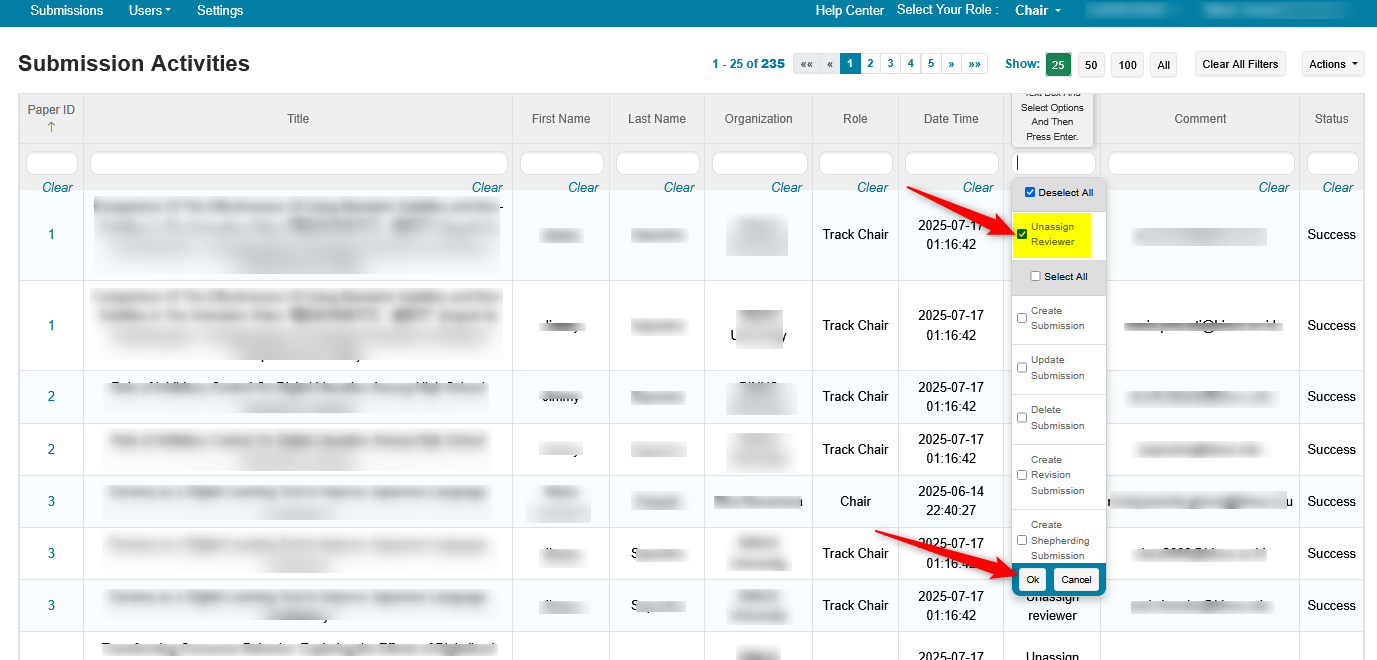
- Export the result to a tab delimited file
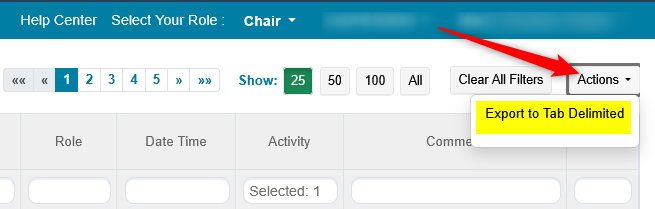
- Copy the file contents and paste into excel.
Note
The column labeled 'Comment' has all the reviewer email addresses.
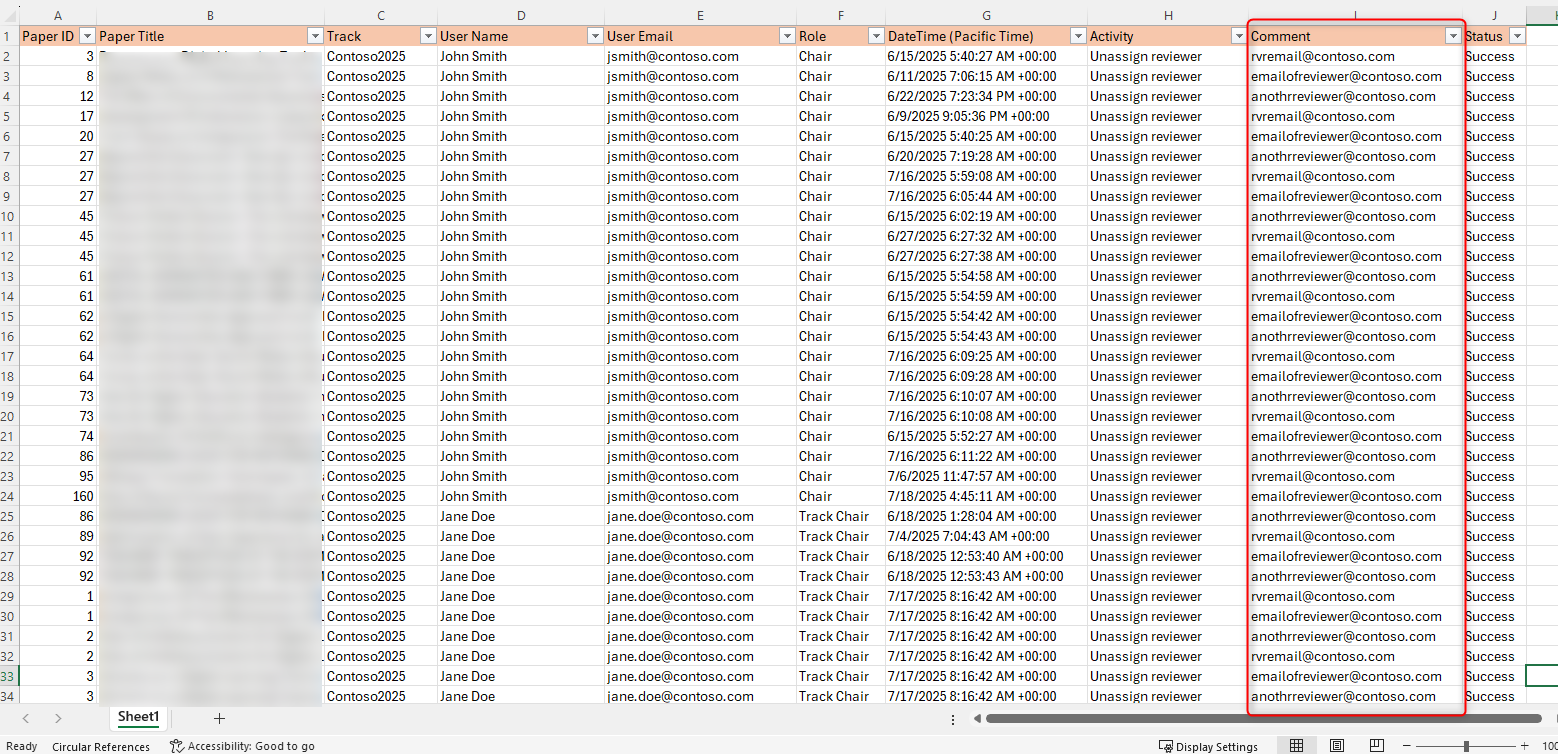
Then you can create a file to bulk import the reviewer assignments.
AUTO ASSIGNMENT WIZARD
If you used the Auto Assignment Wizard, you can use it again but, be advised, you may not get the exact previous results.