Chair HOW-TO: Bulk Delete Reviewer Assignments
OVERVIEW
This guide will show how to easily bulk delete Reviewer assignments.
Caution
BE SURE DELETING ALL REVIEWER ASSIGNMENTS WHAT YOU WANT TO DO.
AFTER DELETION THERE IS NO WAY TO RETRIEVE THE ASSIGNMENTS.
CHAIR CONSOLE
Important
Export the existing Reviewer assignments before deleting them all.
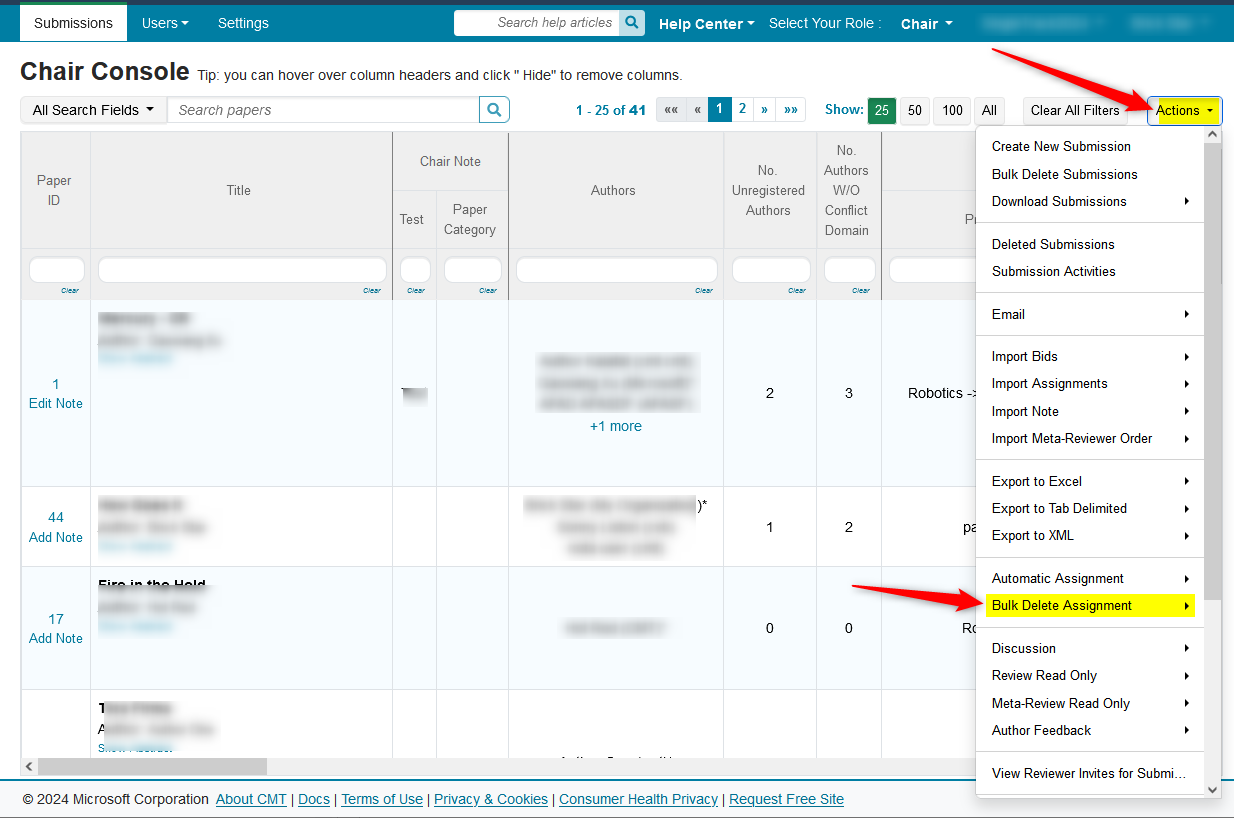
- From the Chair Console, filter for which paper IDs you want assignments removed (if you want all assignments deleted, do not filter) click 'Actions>Bulk Delete Assignment'
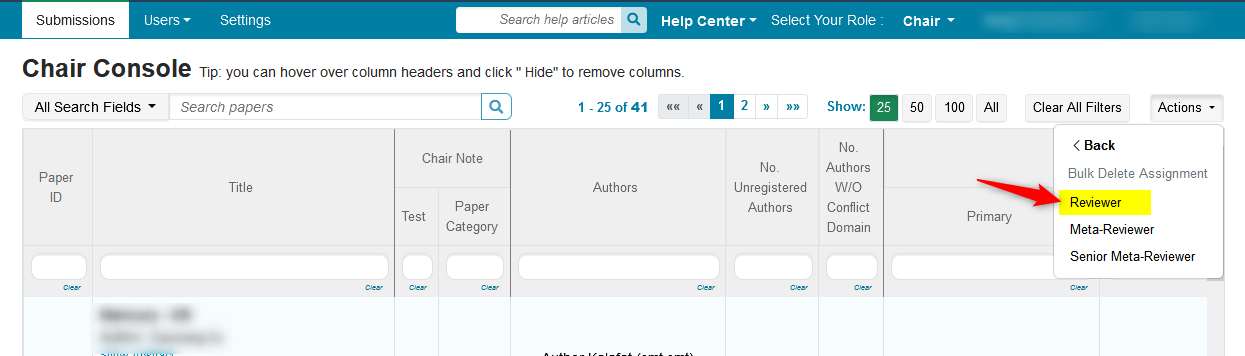
- From the secondary menu select 'Reviewer'
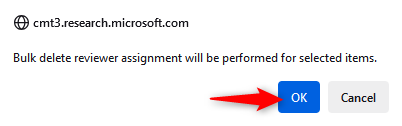
- A confirmation window will appear. Click 'OK.'
VERIFY REMOVAL OF REVIEWER ASSIGNMENTS
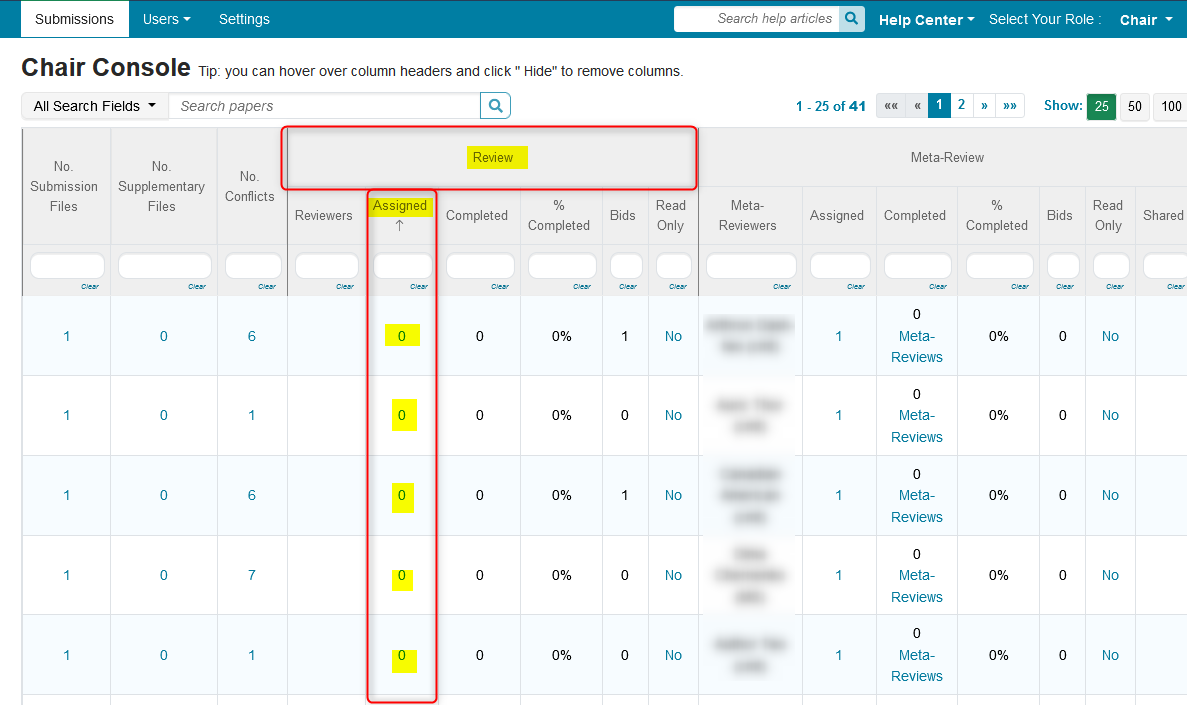
- From Chair Console, view the Review section/Assignments column. Those papers should show '0'
Related:
CHAIR HOW-TO: Manually Assign/Edit Reviewer Assignments
CHAIR HOW-TO: Import Assignments (Reviewer)
CHAIR HOW-TO: Automatic Assignment of Reviewer